
Why “free” trials ask for Apple Pay up front, the two kinds of Apple Pay subscription and where each one cancels, and six mistakes that turn a trial into a charge.
In August 2026, an iPhone user on Reddit tapped a 7-day free trial in an app and was charged $157 for a full year on the spot. The reason surfaced later. They had tried the same app three years earlier, so they no longer qualified for the trial. The developer pointed them to Apple, and Apple denied the refund. The payment sheet for a “free” trial looks like the one for any other purchase, and an Apple Pay subscription started on a website doesn’t show up where most people look to cancel. Here is how to tell what you’re agreeing to, and how to get out before the first bill.
In Brief
A free trial asks for Apple Pay or a card so it can bill you automatically when the trial ends. If you started it in an app through the App Store, Apple bills you. Cancel it in Settings under your name and Subscriptions at least 24 hours before the trial ends. If you paid with Apple Pay on a website or through an app’s own checkout, the merchant bills you, so you cancel with the merchant. The Preauthorized Payments list in Wallet can help you find it.
Table of Contents
Why a free trial asks for Apple Pay up front
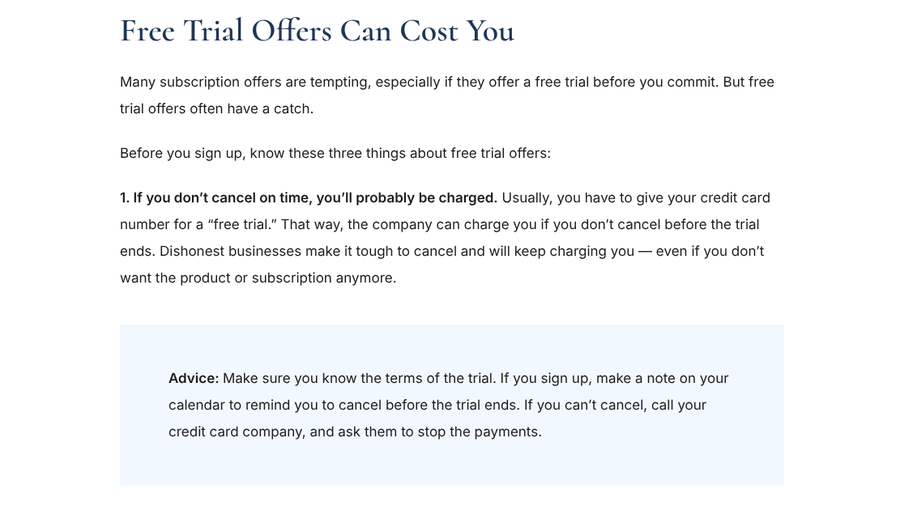
The trial is built to convert. The FTC’s guide to free trials and auto-renewals warns that if you don’t cancel on time, you’ll probably be charged, because the card you hand over lets the seller bill you when the trial ends. It adds that dishonest businesses make cancelling hard and keep charging.

Apps have a second reason. A payment method on file makes it harder to sign up for trial after trial. In an August 2026 Reddit thread, a college student asked why apps advertising a “7 day free trial” immediately asked them to confirm their Apple ID and showed the monthly price under the button. Commenters gave both answers: sellers hope you forget to cancel, and requiring a card limits repeat trials.
The two kinds of Apple Pay subscription
This is where most confusion starts. “I paid with Apple Pay” can mean two different things, and they cancel in different places.
| App Store subscription | Apple Pay on a website or app checkout | |
|---|---|---|
| Who bills you | Apple | The merchant |
| Receipt | Email from Apple | Email from the merchant |
| Where to cancel | Settings, your name, Subscriptions | The merchant’s website or app |
| Where to track it | Settings, your name, Subscriptions | Wallet’s Preauthorized Payments list, with supported cards |
| Refunds | Request through Apple | Ask the merchant, then your card issuer |
Both kinds use a similar payment sheet that you approve with a double-click of the side button and Face ID, so they feel identical. Apple’s page on how to cancel a subscription from Apple covers the difference. If you can’t find a receipt from Apple for a subscription, it says, you might have bought it from another company. Check your bank or card statement to see who bills you, then contact that business to cancel.
6 free trial mistakes that lead to a surprise charge
1. Assuming you still qualify for the trial
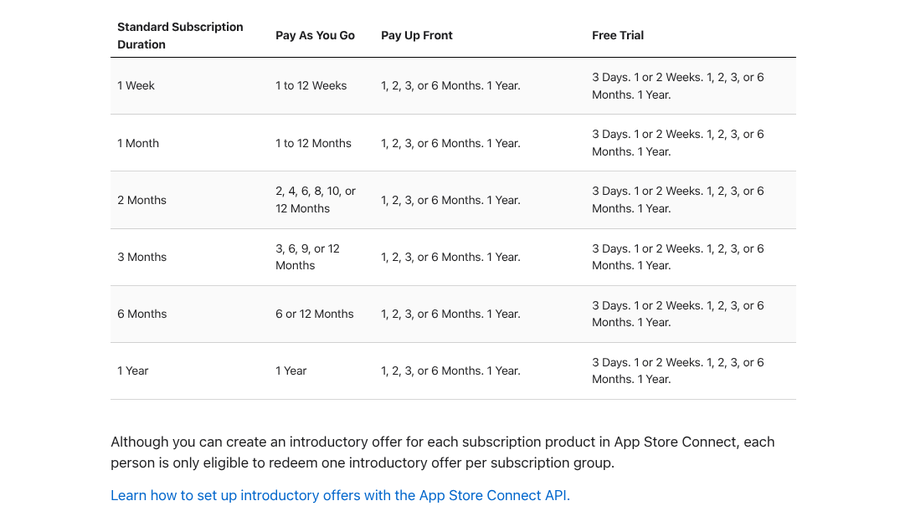
App Store trials are one per customer across a set of related plans. Apple’s App Store Connect help tells developers that each person can redeem only one introductory offer per subscription group, and free trials are one type of introductory offer. That is what caught the $157 user. A trial from three years earlier meant the “free” button started a paid year. “Why would you even show me the Free Trial option then?” they asked. It’s a fair question, but the confirmation sheet is what counts.
2. Tapping through the confirmation sheet
The banner inside the app is marketing. The sheet you approve with a double-click is the deal you’re agreeing to. In a May 2026 Reddit thread, a user who expected a 7-day trial of a focus and sleep sounds app was charged $120 right away. Commenters kept asking the same thing: what did the payment pop-up say? The user later admitted they hadn’t read it. Before you confirm, look for the trial length and the date the first charge lands. If you see a price and no trial, don’t confirm.
3. Waiting until the last day to cancel
Apple says that if you signed up for a trial subscription and don’t want to renew it, you should cancel it at least 24 hours before the trial ends. Leave it to the final evening and you may be too late. Set a reminder for two days before the end date, not the day itself.
4. Cancelling right away without checking your access
A popular trick is to cancel the moment you start a trial so you can’t forget. An August 2026 Reddit “life hack” post recommended it, saying the trial stays active for the full period. Commenters pushed back that some trials end access as soon as you cancel. After cancelling, open the subscription again and read what it says. Apple notes that if there is no Cancel button or you see an expiration message in red text, the subscription is already cancelled. If the trial ended on the spot, a calendar reminder is the better approach next time.
5. Looking for a web subscription in Settings
If you started a trial on a website and paid with Apple Pay, it won’t appear in your App Store subscriptions list. Apple’s guide to preauthorized payments in Apple Wallet explains that participating websites and apps can set up recurring charges when you choose Apple Pay at checkout. To see them, open Wallet, tap the More button and tap Preauthorized Payments. Tap a merchant, then use the Manage with option to visit its site.
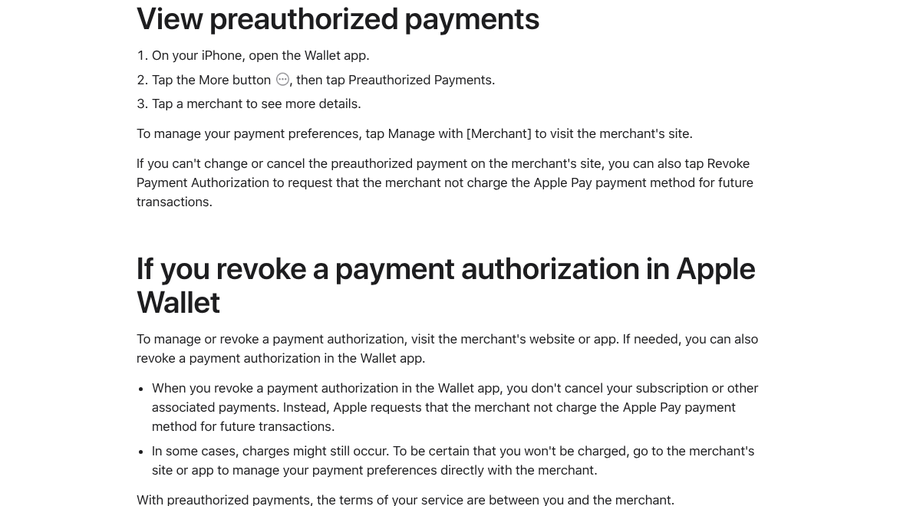
The list has limits. Apple says it works with supported cards and can look different if a merchant doesn’t share subscription details with Wallet. An empty list doesn’t prove you’re clear, so check your card statement and email receipts too.
6. Thinking a revoked authorization or deleted card cancels it
Wallet also offers Revoke Payment Authorization, and Apple is blunt about its limits. Revoking asks the merchant not to charge your Apple Pay payment method again. It doesn’t cancel your subscription, and “in some cases, charges might still occur.” Removing the card from Wallet doesn’t cancel anything either. On a June 2026 Reddit thread, one user said a website kept attempting Apple Pay charges after they cancelled their card, with nothing listed under preauthorized payments. Cancel with the merchant and keep the confirmation.
How to cancel a free trial on iPhone
For App Store trials:
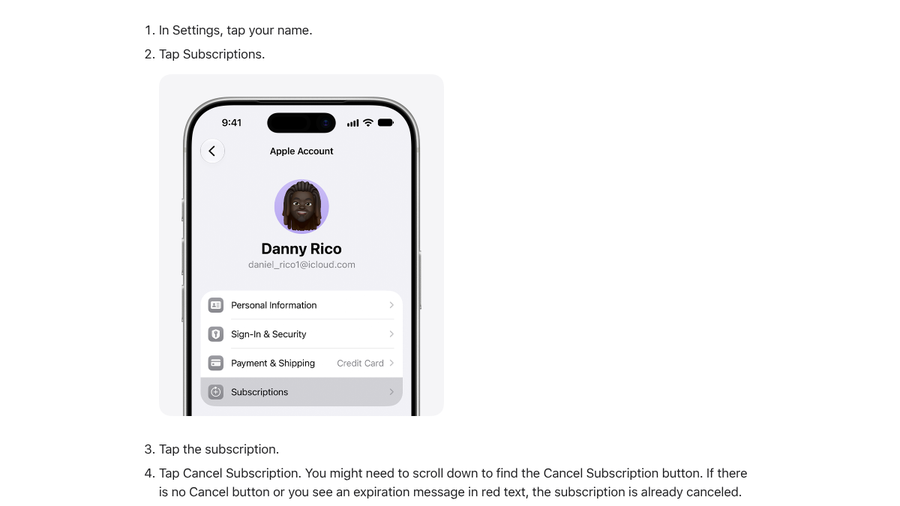
- Open Settings and tap your name.
- Tap Subscriptions.
- Tap the trial, then tap Cancel Subscription. You may need to scroll down to find it.
For Apple Pay trials on a website or an app’s own checkout:
- Search your email for the merchant’s receipt or welcome message.
- Open Wallet, tap the More button, then Preauthorized Payments, and find the merchant.
- Use the Manage with option to cancel on the merchant’s site or in your account settings there.
- Save the cancellation email or a screenshot of the confirmation page.
If charges continue after you cancel, our guide to subscriptions Apple or Google keeps billing shows how to match each charge to a receipt.
If you’ve already been charged
For App Store charges, Apple’s refund request page says to sign in to reportaproblem.apple.com, choose “Request a refund,” pick a reason and select the subscription. Only some purchases qualify, and both the $157 and $120 users above were turned down. For merchant billing, ask the merchant first. If you can’t cancel, the FTC suggests calling your credit card company and asking it to stop the payments.
Think before disputing an Apple charge with your bank. Commenters on the $157 thread warned it could put the Apple Account at risk, and an August 2026 user said a $180 renewal charge left their account paused, blocking downloads and updates until it was sorted out. And if a subscription offers to pause instead of cancel, read our look at pause screens that keep charging you first.
Key Takeaways
- A free trial wants Apple Pay or a card so it can bill you automatically when the trial ends.
- App Store trials cancel in Settings under your name. Trials paid with Apple Pay on a website cancel with the merchant.
- You get one App Store introductory offer per subscription group, so an old trial can mean an instant charge.
- Cancel at least 24 hours before the trial ends, and keep proof.
- Revoking a Wallet authorization or removing a card doesn’t cancel a subscription.
Frequently Asked Questions
How do I cancel an Apple Pay subscription?
To cancel an Apple Pay subscription, first check who bills you. If the receipt comes from Apple, go to Settings, tap your name, tap Subscriptions and cancel it. If a merchant bills you, cancel on its website or app. Wallet’s Preauthorized Payments list can link you there.
How do I cancel a free trial on iPhone?
Open Settings, tap your name, tap Subscriptions, choose the trial and tap Cancel Subscription. Apple recommends cancelling at least 24 hours before the trial ends. Trials started on a website are cancelled with the merchant instead.
Why was I charged right away for a free trial?
You were probably not eligible for the introductory offer. Each person can redeem only one per subscription group, so an earlier trial of the same app can trigger a full charge. The confirmation sheet shows the price and any trial before you approve it.
Does cancelling a free trial end it immediately?
Not always. Some trials keep running until their end date after you cancel, while others end access right away. Open the subscription after cancelling and check what it says about your access.
Does removing my card from Apple Wallet stop a subscription?
No. Apple says removing a card connected to a preauthorized payment doesn’t cancel it or close associated accounts. Cancel with the merchant directly and keep the confirmation.
The Bottom Line
A free trial is a paid subscription with a delay. Before you double-click to confirm, read the price and trial end date on the sheet. Then work out who bills you, cancel in the right place at least a day early and keep the proof. That two-minute routine beats any refund request.