
Every big No Man’s Sky update follows the same rhythm now: Hello Games drops something enormous and free, the community erupts in appreciation, and a subset of players quietly discovers their game runs worse than it did last week. COSMOS is exactly that pattern at full volume. It is one of the most ambitious updates the game has ever shipped, and for some people it also introduced a fresh batch of stutters and bugs. Both things are true at once.
COSMOS, the game’s tenth-anniversary update, hands players their own space stations to run, fills the void between planets with things to actually do, and reworks how the game draws space itself. It is a genuinely impressive drop. It also launched with performance swings and a few game-breaking bugs, then got a fast follow-up patch. If you are wondering whether to jump in now or wait, the useful answer depends on your hardware and your patience, so here is the honest rundown.
In Brief
COSMOS (Update 7.0) is No Man’s Sky’s tenth-anniversary release, centered on owning and managing space stations, claiming territory, new deep-space points of interest, and a new corvette-class ship. Under the hood it reworked asteroid generation, trimmed mesh data by around 13%, and fixed several memory leaks. The tradeoff: some players reported frame drops to 10 to 20 FPS for minutes after loading in, poor performance on water worlds, black screens on older GPUs, and base-editing bugs. Hello Games responded quickly with patch 7.01, addressing a PlayStation 5 hang, several crashes, and initial performance drops. The update is strong, but a smooth experience depends heavily on your platform and hardware.
Table of Contents
What COSMOS actually adds
The headline features are substantial, which is part of why the rough spots stung.

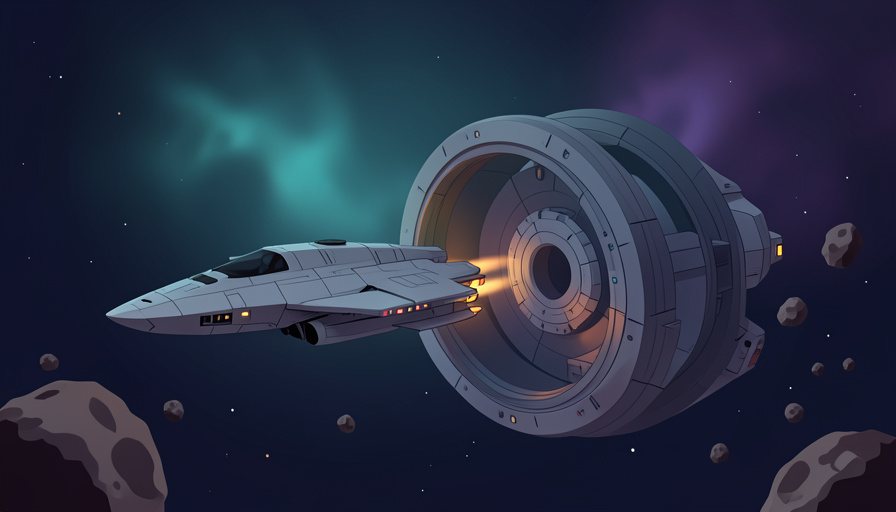
The centerpiece is space station ownership: you can take over a station, customize it, ally with other station managers, claim territories, and plant new outposts in valuable deep-space locations near rich resources. The space between planets, long a boring transit zone, is now populated with asteroid belts, deep-space outposts, procedurally generated hulks, and debris fields worth exploring. There is also a new corvette-class ship to command. For a game celebrating ten years, it is a fitting statement, a reminder that the developer keeps expanding the thing for free rather than coasting. The scope is why the community response has been largely delighted.
The performance swings people are hitting
Here is the part the patch notes soft-pedal. A meaningful slice of players reported real performance regressions after installing COSMOS. The most common complaint was severe frame drops right after loading a save, with rates falling to 10 to 20 FPS for several minutes while the game caught up, where older versions recovered in seconds. Water worlds were called out repeatedly for dropping below 20 FPS. Some setups, particularly older GPUs around the GTX 970 era, hit black screens on startup while background audio kept playing, which is about as alarming as a launch bug gets. These were not universal, and plenty of players had a clean experience, but the reports were common enough to trend, and the reworked way the game generates space is a plausible culprit.
The bugs beyond frame rate
Performance was the loudest issue, though not the only one. Players reported base-editing problems, including an inability to delete, move, or copy structures, which is a genuine headache for anyone mid-build. Newly scanned creatures sometimes failed to register, quietly breaking discovery progress. On consoles there were hangs and crashes tied to specific activities. None of this is unusual for a No Man’s Sky launch day, the game’s updates are famous for being ambitious enough that something always shakes loose, but it is worth knowing before you load a treasured save and start rearranging your main base.
What patch 7.01 already fixed
The redeeming part of the pattern is how fast the response came. Patch 7.01 landed quickly on Steam, with other platforms following, and it tackled a real list of the early problems, per Hello Games’ patch notes. Fixes included a PlayStation 5 hang, crashes related to downloading base images, issues with certain in-game battles, inventory rendering problems, and, importantly, some of the initial performance drops and geometry clipping around the new station parts. It is worth remembering that COSMOS also brought genuine under-the-hood wins: reworked asteroid rendering with better draw distance, roughly 13% less mesh data, and several patched memory leaks and out-of-memory crashes. For many players, the net result after 7.01 is smoother than before, even if the launch was bumpy.
Should you update now or wait?
A practical way to decide, depending on your situation:
- On current-gen console or a modern PC, updating now is usually fine, especially after patch 7.01.
- On an older GPU around the GTX 970 generation, check current bug reports first, since startup black screens hit that hardware hardest.
- Mid-build on a base you care about, back up or wait a beat, given the base-editing bugs.
- Either way, keep the game patched, because Hello Games tends to ship follow-up fixes quickly after a major drop.
If you are relaxed about a little launch turbulence, COSMOS is worth diving into now. If you want it buttery smooth, giving it a week of patches rarely hurts.
What To Know
- COSMOS (Update 7.0) is the tenth-anniversary release, built around space station ownership and deep-space content.
- Some players hit frame drops to 10 to 20 FPS after loading, poor water-world performance, and black screens on older GPUs.
- Other bugs included base-editing failures and unregistered creature scans.
- Patch 7.01 arrived fast, fixing a PS5 hang, several crashes, and some performance drops.
- COSMOS also delivered real optimization wins, so the post-patch experience is often smoother than before.
Frequently Asked Questions
Is the No Man’s Sky COSMOS update worth downloading?
For most players, yes. COSMOS adds space station ownership, deep-space content, and a new ship, and it includes real optimization improvements. The main caveat is hardware: older GPUs saw more launch trouble, so those players should check current bug reports before updating.
Why is my frame rate dropping after the COSMOS update?
Several players reported drops to 10 to 20 FPS for a few minutes after loading a save, likely tied to the reworked way the game generates space and asteroids. Patch 7.01 addressed some initial performance drops, so make sure you are fully updated.
What causes the black screen bug in COSMOS?
Reports point to GPU compatibility, with older cards around the GTX 970 era hitting a black screen on startup while audio still plays. If you are affected, check the latest patch status and the official bug reporting channels, since fixes have been rolling out.
Did patch 7.01 fix the COSMOS problems?
It fixed many of them, including a PlayStation 5 hang, crashes tied to base images and certain battles, inventory rendering, and some initial performance drops. Not every issue is resolved, but Hello Games has a strong record of continuing to patch after major updates.
Is it safe to edit my base after updating?
Be cautious. Players reported base-editing bugs such as being unable to delete, move, or copy structures. If you have a base you care about, it is wise to back up progress or wait for further patches before making big changes.
Final Word
COSMOS is classic No Man’s Sky: hugely ambitious, generously free, and just messy enough at launch to remind you how much the game is doing under the hood. The space stations and deep-space content are a real leap, and the optimization work is genuine, but a portion of players paid for that with stutters, black screens, and build bugs on day one. The saving grace, as usual, is a developer that patches fast and keeps going. Update with a little patience, keep it current, and the rough edges tend to sand themselves down. For more on games and the tech behind them, browse The Other Stream’s Tech section.