
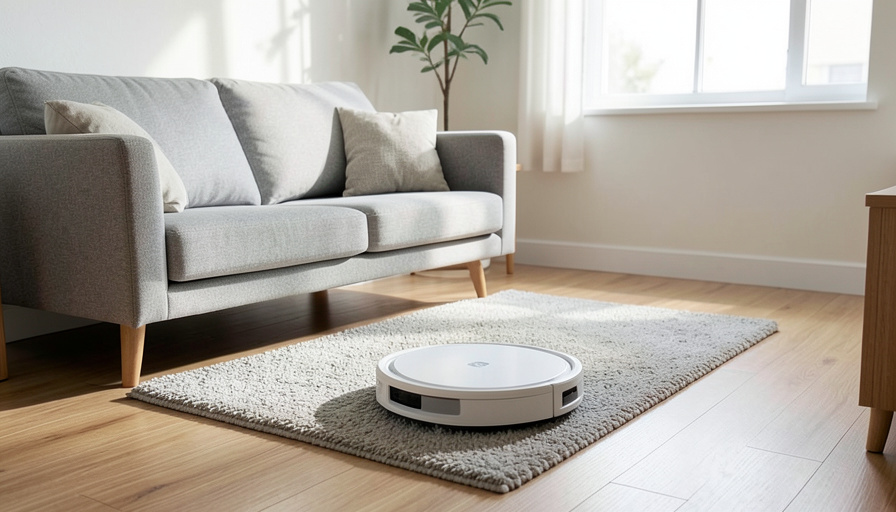
A robot vacuum in a small apartment has three jobs beyond cleaning: stay quiet enough not to annoy you or the neighbors, map around the furniture and the cat’s bowl, and, ideally, not beam a centimeter-accurate floor plan of your home to some company’s cloud. Most of the famous models are only good at the first two.
Robot vacuums build detailed maps that reveal your room layout, furniture, and when you are usually home, and by default that data often lives in the cloud. For renters who care about noise and privacy, the good news is you have real choices, though “no cloud at all” turns out to be a spectrum rather than a switch. Here are five Roomba alternatives that do better on quiet mapping and reduced cloud reliance, with the honest trade-offs, plus how to actually cut the cloud out if that is your priority.
At a glance
For quiet, accurate mapping with less cloud dependence, the strongest picks are Dreame and Roborock, which offer excellent LiDAR mapping, quiet eco modes, and, on some models, local control or offline operation. Narwal and Eufy lean into privacy-friendly, on-device map storage, with Eufy being the budget-and-quiet choice. The only way to remove the cloud entirely is the do-it-yourself route: flashing open-source Valetudo firmware on a compatible vacuum and running it locally. Everything short of that reduces cloud reliance without eliminating it, so choose based on how far you want to go.
Table of Contents
First, the honest truth about “no cloud”
Set expectations before you shop. The vast majority of mapping robot vacuums, Roomba included, set up through an app and an account, and store or sync your map in the cloud. Truly cloud-free operation is possible but takes deliberate effort. So the realistic goal for most renters is reducing cloud reliance: on-device map storage, local control through a standard like Matter, or offline operation, rather than a magic model that ships fully private out of the box. Keep that in mind as you compare, because a brand’s privacy marketing is not the same as zero cloud.
1. Dreame
Dreame has become the pick for people who want strong mapping and the option to reduce or remove the cloud. Its higher-end models offer sharp LiDAR mapping with no-go zones, quiet cleaning modes, and, on some flagships, meaningful offline operation, with on-device voice and local processing that can run without a network. Notably, Dreame chipsets are the ones the open-source privacy community currently favors for going fully local. The trade-off is price, since the models that do this best sit at the premium end. For mapping plus a real path away from the cloud, it leads.
2. Roborock
Roborock is the mainstream balance of great mapping and everyday usability. Its LiDAR navigation and no-go zones are excellent, eco modes keep it apartment-quiet, and select models now support local control of the basics through Matter, so you can run core functions through your own smart-home setup rather than leaning entirely on the app. The honest caveat is that the full feature set still runs through Roborock’s cloud app, and its newest models have grown harder to fully de-cloud. For most renters who want top mapping with some local control, it is the safe default.
3. Narwal
Narwal markets itself hard on privacy, emphasizing that your floor maps and cleaning logs are stored on the device rather than uploaded automatically unless you allow it. For a renter who wants a privacy-leaning option without any technical tinkering, that on-device approach is appealing, and its mapping and mopping are capable. The downsides are a higher price and a smaller ecosystem than the giants, and, as with any brand, privacy claims are worth verifying against current settings rather than taken on faith. A strong middle-ground choice.
4. Eufy
Eufy, from Anker, is the budget-and-quiet entry, with a lineup that runs from affordable, genuinely quiet basic models up to mapping units, and a general privacy-forward posture. For a small apartment where noise and cost matter more than flagship features, a mid-tier Eufy is easy to recommend. Be clear-eyed on two things: the cheapest models lack the advanced LiDAR mapping and no-go zones you may want, and the brand has faced past security scrutiny it has worked to address, so check the specific model’s current features. For value and quiet, it earns a spot.
5. The do-it-yourself route: Valetudo
If removing the cloud entirely is the actual goal, this is the real answer. Valetudo is open-source firmware that replaces a vacuum’s stock software and cuts out the cloud completely, giving you a local control page and no account at all. It runs on specific chipsets, currently favoring recent Dreame models, and pairs beautifully with a Home Assistant setup for fully local maps and control. The trade-offs are real: it takes technical setup, works only on supported models, and stepping outside stock firmware has warranty and support implications. For a renter who genuinely wants zero cloud, it is the only complete solution.
How to actually cut cloud reliance
Whichever you buy, a few moves reduce how much leaves your home:
- Prefer models with on-device map storage and check the app’s data settings after setup.
- Use Matter or local integration where offered, so core control does not depend on the vendor’s cloud.
- Consider a Matter or offline-capable model if you want local control without flashing custom firmware.
- For full privacy and the technical willingness, run a supported vacuum on Valetudo through Home Assistant.
- Set a cleaning schedule for when you are out, which suits quiet apartments and limits when it runs at all.
Each step trades a little convenience for a little more privacy, so stop at the point that fits your patience.
This article is general information, not professional advice. Product features, model availability, and privacy practices change often, and modifying device firmware can affect your warranty. Verify a specific model’s current capabilities and terms before buying.
Frequently asked questions
Is there a robot vacuum that works completely without the cloud?
Mostly through the do-it-yourself route. Flashing open-source Valetudo firmware onto a supported vacuum, often a recent Dreame, and running it via Home Assistant removes the cloud entirely. Off the shelf, some models offer offline operation or local control, but full cloud-free use usually takes deliberate setup.
Which robot vacuum is best for a small apartment?
A mid-tier model with LiDAR mapping and quiet eco modes, sized to a small space, works well. Eufy is a strong quiet-and-affordable pick, while Roborock and Dreame offer better mapping and no-go zones if the budget stretches. Schedule it for when you are out to keep noise down.
Do robot vacuums really store a map of my home?
Yes. Mapping models build detailed floor plans showing room layout, furniture, and dimensions, and by default many sync that to the cloud. Choosing on-device storage, local control, or offline operation reduces how much of that data leaves your home.
Are Eufy or Narwal vacuums more private than a Roomba?
They market on-device data handling and local storage, which can mean less automatic cloud upload. That is a meaningful difference, but privacy depends on the specific model and your settings, so verify current options rather than relying on branding alone.
What is Valetudo?
Open-source firmware that replaces a robot vacuum’s stock software to remove cloud connectivity, giving you local-only control with no account. It supports specific chipsets, mainly recent Dreame models, and works well with Home Assistant, but requires technical setup and can affect warranty.
The bottom line
For a quiet, mapping robot vacuum that respects your privacy, match the tool to how far you want to go. Dreame and Roborock give you the best mapping with growing local options, Narwal and Eufy lean privacy-friendly and quiet without tinkering, and Valetudo is the only true no-cloud path if you are willing to set it up. Whatever you pick, check the data settings and schedule it for when you are out. For more on home appliances worth getting right, see our guide on dishwasher rust and what your warranty covers, and browse The Other Stream’s Home Improve section.