Where plugin conflicts come from after WordPress 7.0 and 7.1, and how to pick a block, classic or hybrid theme without guessing.
Picture a Thursday morning in late August. WordPress updated itself overnight to 7.1, and now every custom block on a client site is stuck in preview mode with its fields crammed into the sidebar. The site runs a classic theme, so the owner assumed the “full-site editing stuff” would never touch it. It did anyway. That is the most useful thing to know about the block theme vs classic theme decision in 2026: the theme type matters less for plugin conflicts than most people think, and the code inside your plugins and blocks matters more.
In Brief
Neither theme type avoids plugin conflicts on its own. WordPress 7.1, released on August 19, 2026, made the post editor load inside an iframe for every theme, so blocks and editor plugins built for the old, non-iframed editor broke on classic and block sites alike. Classic themes still avoid conflicts tied to the Site Editor, and they keep widgets and the Customizer. Block themes get the new design tools first. For most business sites, the safest choice is the theme type your team can test and maintain, backed by a staging check before every major update.
Table of Contents
What changed in WordPress 7.0 and 7.1
Two releases in 2026 reshaped the theme question. WordPress 7.0, released on May 20, brought a new admin design and AI features, plus a font management page that works with block, hybrid and classic themes. That last detail is a quiet signal that core still supports classic themes.
WordPress 7.1 made the bigger change for plugin compatibility. Until then, the post editor was iframed only when every block in the content used block API version 3 or later, and it quietly dropped the iframe when an older block appeared. Starting with 7.1, the post editor is always iframed, “regardless of the theme type” or the blocks in use.
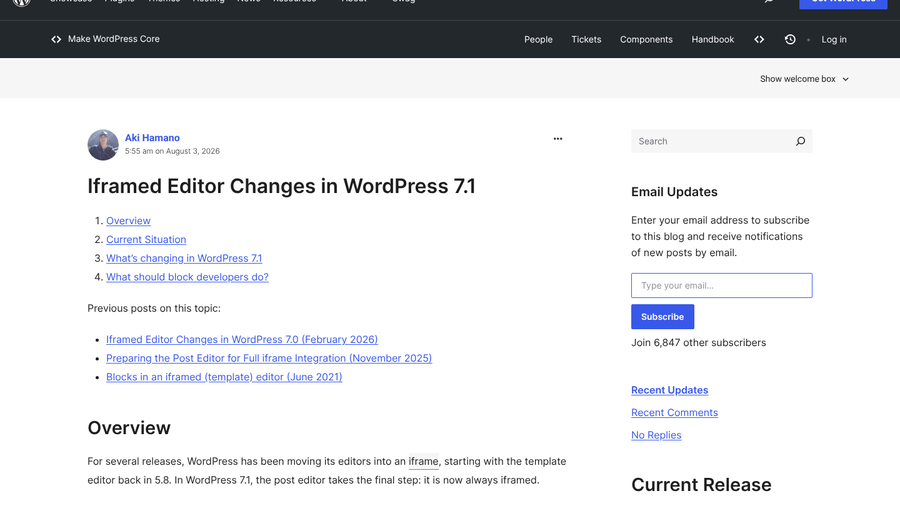
The iframe gives the editor its own document and window. Any plugin script that reaches for the global page to style or control the editing canvas now looks at the wrong place. That is why the breakage skipped over theme labels and landed on blocks, field plugins and page-builder add-ons.
Block theme vs classic theme: where conflicts come from
Plugin conflicts come from three places, and each theme type is exposed to a different mix of them:
| Conflict source | Block theme | Classic theme |
|---|---|---|
| Blocks and editor plugins built for the non-iframed editor | Exposed since 7.1 | Exposed since 7.1 |
| Plugins that expect widget areas, the Customizer or PHP template files | Higher risk | Low risk |
| Plugins that add Site Editor templates, patterns or style controls | Designed for it | Limited or unused |
| Page builders that replace the editor | Depends on the builder | Depends on the builder |
The first row is the one that caught people out in August, and it applies to both. The second and third rows are where the theme type still matters. A classic theme keeps the widget screen and the Customizer that older plugins rely on. A block theme builds headers, footers and templates in the Site Editor, so plugins written for that system slot in cleanly while plugins that hook into classic template files can go quiet.
What broke after the 7.1 update
The loudest complaints came from sites using ACF PRO blocks. Within a day of the release, developers reported that the pencil icon for inline editing had disappeared and every block was pinned to preview, with fields squeezed into the sidebar. One developer said it meant “painful conversations with clients” whose old blocks were never updated. Another reported a site using Getwid blocks with an editor that was “completely borked”, and rolled back to 7.0.
The cause was the iframe rather than the theme. ACF’s version 2 blocks depended on admin scripts being available inside the canvas, and in 7.1 they no longer are. The fixes look like this:
- Move ACF blocks to version 3. ACF Blocks v3, available from ACF PRO 6.6, was built for the iframed editor. It drops the old edit mode in favor of a sidebar or slide-out panel.
- Use the temporary bridge if you need time. ACF published an iframe compatibility plugin in late August that turns off the iframe on sites with version 2 blocks. ACF says it “should not be used permanently.”
- Load block styles through block.json. One developer found a custom block stayed broken until its styles moved from
wp_enqueue_style()into the block’s own metadata.
When a classic theme is still the safer choice
A classic theme is the lower-risk option when your site depends on plugins that assume the classic structure. Widget-heavy sidebars, Customizer-based settings and WooCommerce setups with custom PHP templates all fit here. Many agencies also prefer classic themes with ACF Flexible Content because clients get a fixed set of layouts and cannot break the design. As one developer put it in June 2026, classic plus ACF is “proven, reliable, and predictable” for custom client builds.

The trade-off is direction. New design tools land in the Site Editor first, and in 7.1 that included responsive styles in Global Styles and custom breakpoints in theme.json for block themes. A classic theme will keep working, but it will not pick up those features without extra development.
When a block theme makes sense
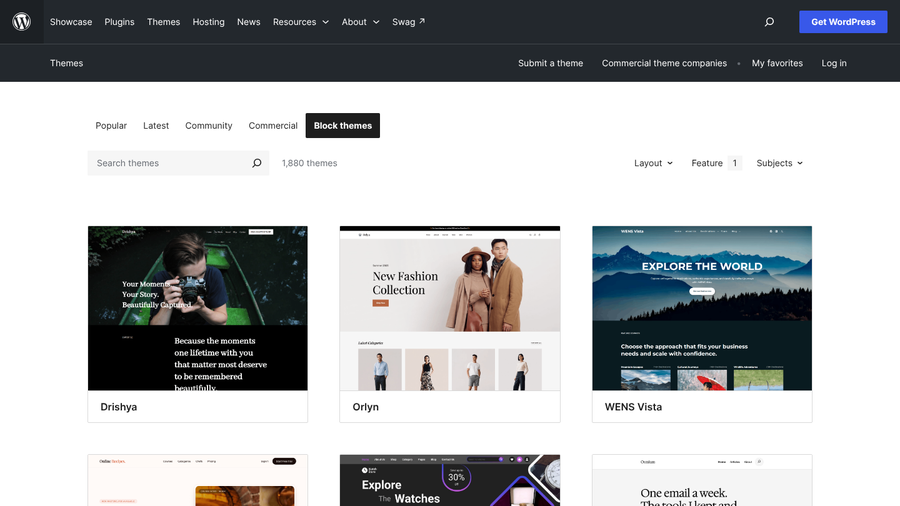
A block theme suits new sites, teams that edit layouts themselves and anyone who wants the design tools core is investing in. The WordPress.org directory listed 1,880 block themes in September 2026, so choice is no longer the problem it was a few years ago. Headers, footers and templates are edited visually, fonts are managed in one place, and 7.1 lets you adjust how a block looks on phones and tablets without custom CSS.
The learning curve is real, and so is the plugin audit. Before switching an existing site, list every plugin that adds a widget, a Customizer panel or its own template files, and confirm each one supports block themes.
The hybrid middle ground
Many agencies have settled on a hybrid: a classic theme that keeps the header, footer and store templates in PHP, with block-based content areas for editors. It keeps the structure stable while giving editors modern blocks, and it moves gradually toward block themes rather than all at once. It does not escape the 7.1 iframe change, though, because the content areas still run in the post editor.
A pre-update checklist for either theme type
- Test every major WordPress release on a staging copy first, and keep that copy out of search results. Our guide to staging sites that get indexed covers how.
- Update field and block plugins such as ACF PRO before updating core.
- Open three or four posts that use custom blocks and check that fields and toolbars still work in the editor.
- Ask your page builder’s changelog or support page whether it supports the iframed editor.
- Pause automatic major updates on client sites until staging passes.
- Remove plugins you no longer use, since inactive plugins still carry risk.
What Matters Most
- WordPress 7.1 iframed the post editor for every theme, so old blocks and editor plugins broke on classic and block sites alike.
- Classic themes avoid Site Editor conflicts and keep widgets and the Customizer.
- Block themes get new design tools first, including 7.1’s responsive styles.
- A staging test before each major update prevents more breakage than any theme choice.
Frequently Asked Questions
Are classic themes still supported in WordPress 2026?
Classic themes are still supported in WordPress 7.0 and 7.1. WordPress 7.0’s new font management page works with block, hybrid and classic themes, and widgets and the Customizer remain available to classic themes.
Why did my blocks break after updating to WordPress 7.1?
WordPress 7.1 always loads the post editor inside an iframe, so blocks and scripts written for the non-iframed editor can lose access to the page they expect. ACF version 2 blocks were a common example, and moving them to ACF Blocks v3 fixes the problem.
Is a block theme faster than a classic theme?
A block theme is not automatically faster than a classic theme. Speed depends more on the theme’s code, the plugins you run and your hosting than on the theme type.
Can I switch from a classic theme to a block theme without breaking plugins?
You can switch safely if you test on staging first. Check every plugin that relies on widgets, the Customizer or PHP template files, because those are the ones most likely to stop working under a block theme.
What is a hybrid WordPress theme?
A hybrid theme is a classic theme that also uses block features, such as theme.json settings or block-based content areas, while keeping PHP templates for structure like headers and footers.
Final Takeaway
Choose the theme type your team can maintain, then protect it with process. If your site leans on widgets, the Customizer or ACF layouts, stay classic or hybrid and upgrade your blocks for the iframed editor. If you are starting fresh and want the new design tools, pick a block theme and audit your plugins before launch. Either way, the next major release will test your blocks, not your theme label.
Related Posts