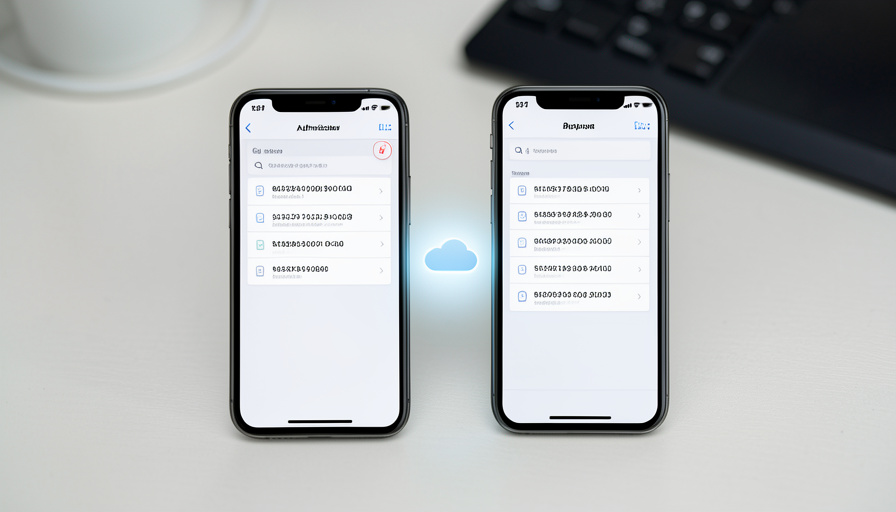
You upgrade your phone, set it up, and then realize every one of your login codes lived only on the old one. Anyone who has lost an authenticator app knows the specific dread of being locked out of a dozen accounts at once. The fix is an app that backs up to the cloud and restores in minutes.
Google Authenticator did finally add syncing to your Google account, but it is not end-to-end encrypted, which means Google holds the keys to your two-factor secrets. For a lot of people that is reason enough to look at alternatives that back up more privately, sync across devices, or simply make switching phones painless. Here are six worth considering, compared on how they handle the cloud, with the honest trade-offs of each.
Bottom line first
If you want the best all-round free option, Ente Auth and Proton Authenticator both offer open-source, end-to-end encrypted sync across every platform. Authy is the smoothest to restore on a new phone, Microsoft Authenticator is the easy mainstream pick with cloud backup built in, and 2FAS is a fast, balanced open-source choice. If you would rather nothing sit in anyone’s cloud, Aegis on Android keeps an encrypted backup you control. The key trade-off throughout is convenience versus who can read your backup, so favor end-to-end encryption where you can.
Table of Contents
Why look past Google Authenticator
Give Google credit: since 2023, Google Authenticator syncs your codes to your Google account, so a lost phone no longer wipes everything. The catch is that this sync is not end-to-end encrypted, meaning Google can technically access your two-factor secrets. That is fine for some people and a dealbreaker for others, especially since a backup of your 2FA codes is a high-value target. The alternatives below mostly close that gap with encryption you control, better cross-device support, or both.
1. Ente Auth
For most people wanting cloud restore done right, Ente Auth is the standout. It is free, open source, and end-to-end encrypted, with multi-device sync across iOS, Android, macOS, Windows, Linux, and the web, and a backup you can recover from a lost phone. Because it is end-to-end encrypted, the company cannot read your codes, which is exactly what you want from a backup of your second factor. The only real downside is that it is a less familiar name than the giants, which should not scare off anyone who values open-source privacy.
2. Authy
Authy has long been the easiest app to recover on a new device, thanks to opt-in encrypted backups: you set a backup password, your 2FA data is encrypted on your phone before it ever reaches the cloud, and only that encrypted version is stored. Restoring on a new phone is quick. Two honest caveats: Twilio, which owns Authy, disclosed a 2024 breach that exposed millions of associated phone numbers, though the actual 2FA secrets were not compromised, and the account is tied to your phone number. For painless recovery, it still delivers.
3. Microsoft Authenticator
If you want the mainstream, no-fuss option, Microsoft Authenticator is the best all-round pick for many users. It is free, adds handy push approvals and passwordless sign-in, and backs up to the cloud so you can restore after switching phones. The trade-off is that its backup and restore lean on your Microsoft account, and to a degree your device’s own cloud, so it fits most smoothly if you already live in that ecosystem. For a widely supported, set-and-forget choice, it is hard to fault.
4. Proton Authenticator
From the privacy-focused Proton team, Proton Authenticator is another strong free, open-source option with end-to-end encrypted backup and sync across Android, iOS, Windows, macOS, and Linux. Like Ente, it means your codes are recoverable without the provider being able to read them, which is the right model for a second factor. It is newer to the scene, but it carries the credibility of a company built around encrypted email and privacy tools, making it an easy recommendation for people already inclined toward that world.
5. 2FAS
2FAS is the balanced, everyday pick, and in testing it stays fast on both Android and iOS, handles long lists of tokens cleanly, and makes it easy to tell which account a code belongs to before you use it. It is open source and supports encrypted backups to your own cloud storage, plus a browser extension for convenience. Its syncing is backup-based rather than instant live sync across devices, but for a free, quick, trustworthy authenticator with cloud restore, it earns its popularity.

6. Aegis (Android)
If your priority is that nothing lands in a company’s cloud at all, Aegis is the answer on Android. It is open source and keeps an encrypted vault on your device, letting you export an encrypted backup that you store wherever you choose, such as your own drive or storage. That makes restoring a deliberate, self-managed step rather than automatic sync, which is the point: you hold everything. The obvious limits are that it is Android only and the backup is manual, so it suits the hands-on, privacy-first user rather than someone who wants zero effort.
A note on password managers
Apps like 1Password and Bitwarden can also store your two-factor codes and sync them everywhere, which is genuinely convenient. The security caveat is real, though: keeping your passwords and your second factor in the same vault weakens the idea of two separate factors, since one compromised account exposes both. It is a reasonable convenience for lower-risk logins, but for your most important accounts, keeping the authenticator separate from the password manager is the safer habit.
This article is general information, not security advice. Two-factor setups and app features change, and cloud backups of your codes are sensitive. Prefer end-to-end encrypted options, keep your account recovery and backup codes somewhere safe, and follow each service’s current guidance.
Frequently asked questions
Does Google Authenticator back up to the cloud now?
Yes, since 2023 it syncs codes to your Google account, so a lost phone no longer erases them. However, that sync is not end-to-end encrypted, meaning Google can technically access your two-factor secrets, which is why many people prefer an encrypted alternative.
Which authenticator app is easiest to move to a new phone?
Authy is known for the smoothest recovery through its encrypted backups. Ente Auth, Proton Authenticator, and Microsoft Authenticator also restore easily from the cloud. Whichever you choose, set up its backup before you switch phones, not after.
Are cloud backups of 2FA codes safe?
They can be, if the backup is end-to-end encrypted so only you can read it, as with Ente Auth or Proton Authenticator. A backup that the provider can decrypt is more convenient but a bigger target, so favor encryption you control for something as sensitive as your second factor.
Should I keep 2FA codes in my password manager?
It is convenient but reduces security, because storing passwords and second factors together means one breached vault exposes both. It is reasonable for low-risk accounts, but for important ones, keep your authenticator separate from your password manager.
How do I switch authenticator apps without getting locked out?
Export or back up your codes from the old app first, install and set up the new one, and confirm your codes work before removing the old app. If an app cannot export, you may need to re-enroll each account, so do it while you still have access to both.
The bottom line
Losing your 2FA codes with an old phone is an avoidable disaster. Google Authenticator now syncs, but not with end-to-end encryption, so if you want your backup private, Ente Auth and Proton Authenticator lead, Authy and Microsoft Authenticator make restoring effortless, 2FAS is a fast balanced choice, and Aegis keeps everything in your own hands. Set up the backup before you switch, and keep your recovery codes safe. For more on protecting your accounts, browse The Other Stream’s Tech section, and see our guide to spotting friendly text scams.
Related Posts