
Five sites like Expedia that make it easier to get your money back when an airline changes or cancels your flight, plus how refund rules work when a travel agency sits in the middle.
In August 2026, a family on Reddit described a trip from Beijing to Tucson booked through Expedia. At 3 a.m., an “Action Needed” email arrived while they slept, and by the time they landed in Seoul part of their itinerary had been cancelled. The airline pointed to Expedia, and Expedia pointed back. One reply was blunt: book direct next time. Online travel agencies can save money, and plenty of trips go smoothly. But when a schedule changes, a third party adds a step between you and your refund. The sites below cut that step out or make it easier to manage.
The best sites like Expedia for easier flight refunds in 2026 are:
- The airline’s own website or app: best for the fastest, simplest refunds
- Google Flights: best for comparing fares, then booking direct
- KAYAK: best for price alerts and flexible date searches
- Skyscanner: best for international routes and budget airlines
- Capital One Travel: best agency option for cardholders who want a cancel-for-any-reason add-on
Quick Picks
| Option | Best For | Price | Who Handles Your Refund | Books Direct With Airline? |
|---|---|---|---|---|
| Airline website or app | Fastest refunds | Airline’s fare | The airline | Yes |
| Google Flights | Comparing, then booking direct | Free to search | Whoever you book with | Often, if you choose the airline |
| KAYAK | Price alerts and flexible dates | Free to search | Whoever you book with | Often, if you choose the airline |
| Skyscanner | International and budget routes | Free to search | Whoever you book with | Often, if you choose the airline |
| Capital One Travel | Cardholders wanting an add-on | Fare plus optional add-on | Capital One Travel, or the airline for some low-cost carriers | No |
Table of Contents
Why sites like Expedia can slow down refunds
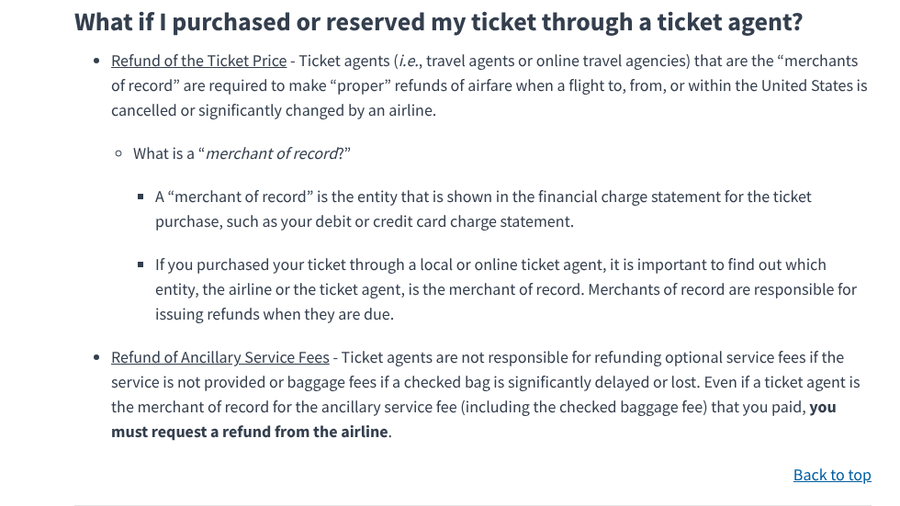
The U.S. Department of Transportation’s refund rules explain the key idea: the “merchant of record,” the business named on your credit card statement, is responsible for issuing your refund. If you booked through Expedia or another online travel agency that charged your card, that agency must make the refund when an airline cancels or significantly changes a flight. If the airline charged you directly, the airline does it.
That extra link in the chain is where delays happen. In June 2026, a Reddit user who cancelled an Expedia booking within the free-cancellation window said the refund was still “processing” nine days later. In a June 2026 thread started by a frequent business traveler, one commenter summed up the advice most people give: if you ever need to change your itinerary, it is much easier to do it direct than through a third party.
1. The airline’s own website or app
Best for: Travelers who want the shortest path to a refund or rebooking after a schedule change.
Booking directly with the airline is the most reliable Expedia alternative when refunds matter, because it removes the middleman entirely. The airline is the merchant of record, so there is no question about who owns the problem. When your flight is cancelled or significantly changed, you deal with one company, usually through the same app that already has your boarding pass.
U.S. rules also put firm deadlines on that refund. Under the Transportation Department’s automatic refund rule, if you reject the airline’s offer of an alternative flight, the refund is due within 7 business days for credit card purchases and 20 calendar days for other payment methods. If you do not respond to the offer and do not fly, the airline must still refund you once the changed flight departs. Our guide to when airlines and hotels owe you money back explains which changes count as significant.
Booking direct also makes self-service easier. Most airline apps let you pick a new flight after an involuntary schedule change without calling anyone, and agents can see and change your ticket without asking a travel agency for permission. You also keep full access to seat selection, upgrades and loyalty points on the booking.
The trade-off is price and convenience. You have to compare fares yourself, and an agency occasionally has a cheaper fare or bundles a hotel for less. That is why most people pair booking direct with one of the search tools below.
- Pros: The airline handles refunds directly, strict federal refund deadlines, easy self-service rebooking in the app, and full loyalty and seat benefits.
- Cons: No price comparison on the airline’s own site, occasionally higher fares than agencies, and separate bookings for hotels and cars.
Pricing: You pay the airline’s published fare, with no agency booking fee.
2. Google Flights
Best for: Comparing fares across airlines, then booking directly with the one you choose.
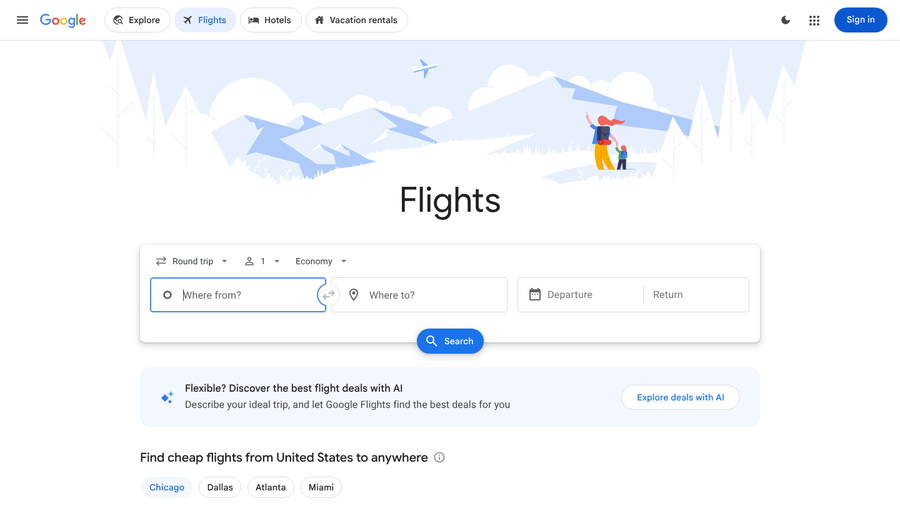
Google Flights is the easiest way to get Expedia-style comparison without giving up the benefits of booking direct. Google’s help page says it compares offers from more than 300 travel partners, including airlines, online travel agencies and aggregators. It also says travel partners do not pay to appear in the flight list, and that the order is not influenced by Google’s relationships with them.
The refund-friendly habit is in the booking step. When you pick a flight, Google Flights shows booking options, often including the airline itself alongside travel agencies. Choose the airline, and you end up with a direct booking that the airline refunds under the rules above. If an agency is a few dollars cheaper, weigh that saving against the hassle you would face if the schedule changes.
Google Flights is also good for spotting schedule risks before you book. You can compare departure times, layover lengths and airports side by side, and track prices on a route so you get an alert when fares drop. A good workflow is to track the route, book direct when the price looks right, then log your original times in a travel itinerary spreadsheet so you can spot a change that qualifies for a refund.
Google notes that results may not reflect every available offer, and some airlines’ fares may not appear. It is a search tool, so any refund still depends on who you booked with.
- Pros: Free, compares hundreds of partners, often lets you book direct with the airline, and offers price tracking and a clean comparison view.
- Cons: Not every airline or fare appears, it will also show agencies, and it does not handle refunds itself.
Pricing: Free to search. You pay whichever airline or agency you book with.
3. KAYAK
Best for: Travelers who want price alerts, flexible date searches and a clear view of who they are booking with.
KAYAK is a travel search engine rather than a travel agency. Its booking help page says it “compares flight prices and connects you with airlines and travel agencies to complete your booking,” and that the provider you book with manages your reservation. KAYAK says it does not control cancellation policies or handle refunds.
That makes KAYAK useful in exactly the same way as Google Flights: search broadly, then pick the airline as the provider. When the results list several places to book the same flight, the airline’s own listing keeps future refunds simple. KAYAK also lets some bookings finish on its own site with partner providers, so check the name on the final checkout page before you pay.
If you do end up booked through a third party, KAYAK’s help page gives a practical tip for figuring out who owns your refund. Check your credit card statement for the payee name, look at your booking receipts on KAYAK, or review your browser history to see which site you were redirected to. That matters because, under federal rules, whoever charged your card handles the refund.

KAYAK’s search tools are its strength. Flexible date searches and price alerts help you find a fare you are happy to book direct, instead of reaching for an agency price out of impatience. Set an alert on your route a few weeks out, and you can wait for a fair airline price rather than settling for the cheapest agency listing.
- Pros: Free, strong flexible date and price alert tools, clear guidance on who handles your booking, and airline booking options for most routes.
- Cons: Shows many agencies alongside airlines, some bookings finish on KAYAK with partner providers, and it does not process refunds.
Pricing: Free to search. You pay the provider you book with.
4. Skyscanner
Best for: International trips and routes served by budget airlines.
Skyscanner has been around since 2003 and is especially popular for international travel. Skyscanner says more than 100 million people use its app and site each month, and that it works with more than 1,200 partners and searches more than 80 billion prices a day. Like KAYAK and Google Flights, it is a search engine that connects you with airlines and travel agencies rather than selling tickets as your agent.
Its reach is the reason to use it. Skyscanner often surfaces regional and low-cost carriers that other tools miss, which is helpful for trips within Europe or Asia. The refund-friendly approach is the same: once you find a fare, look for the airline’s own booking option and use it whenever the price difference is small.
Be careful with cheap fares from unfamiliar agencies. If a price from an agency you have never heard of looks far lower than the airline’s own fare, remember that the agency, not the airline, would be responsible for any refund if the flight changes. For short trips on budget airlines, booking direct is usually worth a small premium.
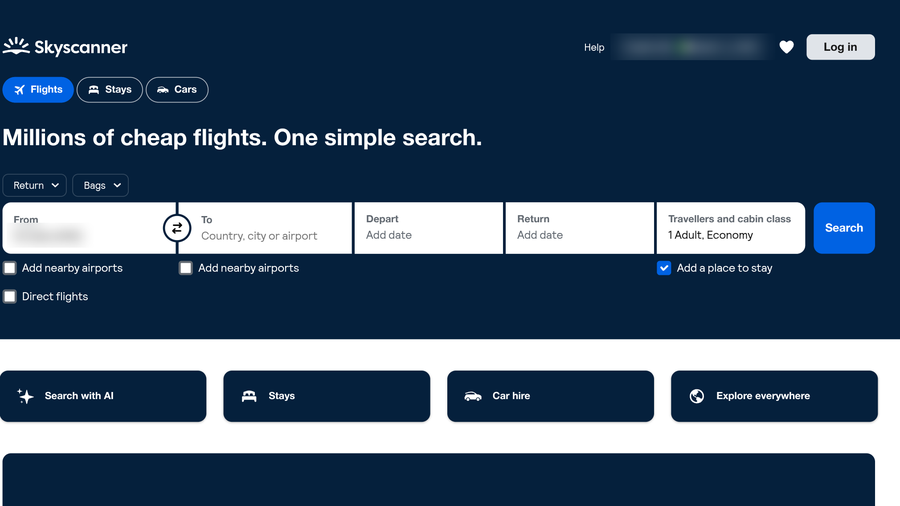
Skyscanner’s “Explore everywhere” and flexible search tools are also useful for finding cheaper dates before you commit, so you can book direct without overpaying. The search page also has a direct flights filter that limits results to nonstop options. Fewer connections means fewer chances for a single schedule change to break your whole trip.
- Pros: Free, very wide coverage of international and budget airlines, useful flexible and “everywhere” searches, and airline booking options on many routes.
- Cons: Lists many lesser-known agencies, some with thin customer service, and it does not handle refunds itself.
Pricing: Free to search. You pay the airline or agency you book with.
5. Capital One Travel
Best for: Capital One cardholders who want an agency booking with an optional cancel-for-any-reason add-on.
If you prefer the convenience of an agency, a card issuer’s travel portal is a reasonable alternative to Expedia, as long as you understand how refunds work. Capital One Travel is available to Capital One cardholders and lets you pay with your card, your rewards or both.
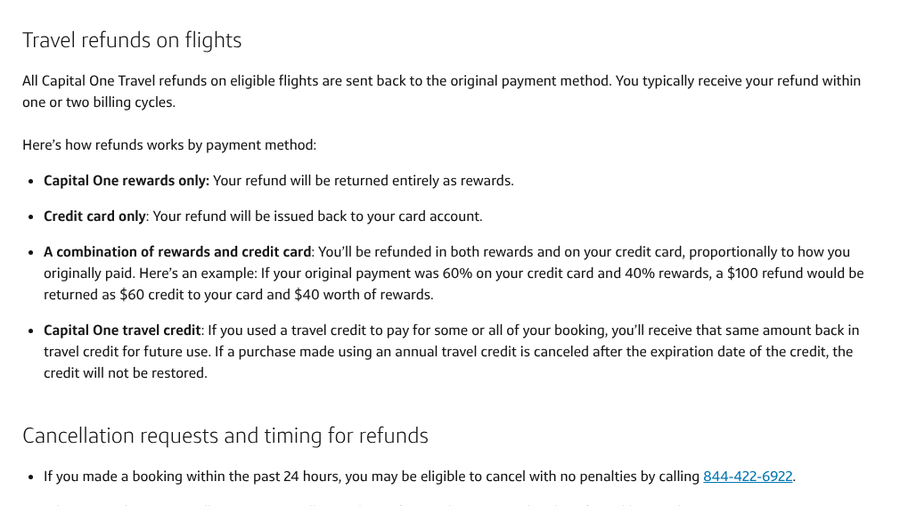
Its most useful refund feature is an optional add-on that lets you cancel a flight for any reason. According to Capital One’s help page, you cancel through the My Trips section, and if you bought the option, you use the Cancel for Any Reason button. It has to be purchased at the time of booking. If you booked a low-cost carrier such as Spirit Airlines or Ryanair, Capital One says the booking is managed directly by the airline, so you contact the airline to cancel.
Speed is the honest drawback. Capital One says refunds on eligible flights go back to the original payment method and typically arrive within one or two billing cycles. That is slower than the airline deadlines above, so the portal makes more sense for flexibility than for speed.
You also get two confirmation codes, one from Capital One Travel and one from the airline. Keep both handy, since you may need either one when a schedule changes. Capital One adds that if you booked within the past 24 hours, you may be able to cancel with no penalty by calling its travel line, and that cancellation requests can take 48 hours to confirm by email.
- Pros: Optional cancel-for-any-reason protection, pay with card or rewards, online cancellation through My Trips, and low-cost carrier bookings handled by the airline.
- Cons: Only for Capital One cardholders, refunds can take one or two billing cycles, and the add-on costs extra.
Pricing: You pay the fare through Capital One Travel. The cancel-for-any-reason option is an extra charge set at booking.
How to get a faster refund wherever you booked
- Find the merchant of record. Check your card statement to see whether the airline or an agency charged you, and send your refund request there.
- Reject alternatives in writing. If a significant change does not work for you, decline the offered flight clearly, which starts the federal refund clock.
- Ask for money, not credit. You are entitled to a refund to your original payment method for a cancelled or significantly changed flight.
- Keep records. Save the change notice, your original itinerary and any chat or call reference numbers.
- Escalate if needed. File a complaint with the Transportation Department, or ask your card issuer about a dispute if the deadline passes.
How We Chose These
We focused on what happens after a schedule change as much as on fares. We favored options where the airline issues the refund directly, or where the booking tool makes it easy to choose the airline as the seller. We also looked at how clearly each service explains who handles your reservation and refund, how widely it covers airlines, and what refund options it offers if you use it as an agency. Features and policies were checked against each company’s own help pages and the Transportation Department’s refund rules in fall 2026.
The Bottom Line
The fastest refunds come from booking directly with the airline. Use Google Flights, KAYAK or Skyscanner to compare fares, then choose the airline as the seller whenever the price difference is small. If you want agency convenience with a safety net, Capital One Travel’s cancel-for-any-reason option can help, but expect slower refunds.
Frequently Asked Questions
What is the best site like Expedia for easy refunds?
The best option for easy refunds is booking directly on the airline’s website or app, because the airline handles the refund itself. Google Flights is the best site like Expedia for comparing fares before you book direct.
Is it better to book directly with the airline than Expedia?
Booking directly with the airline is usually better when your plans might change, because refunds and rebooking go through one company. Expedia can be cheaper or more convenient for packages, but it adds a middleman when schedules change.
Who refunds me if I booked a flight through Expedia?
If Expedia charged your card, it is the merchant of record and is responsible for your refund when the airline cancels or significantly changes your flight. Check your card statement to confirm who charged you.
How long does an airline refund take after a schedule change?
Under U.S. rules, airlines must refund within 7 business days for credit card purchases and 20 calendar days for other payment methods after you reject an alternative flight. Travel agency refunds can take longer.
Do Google Flights and KAYAK issue refunds?
Google Flights and KAYAK are search tools, so they do not issue refunds. The airline or travel agency you book through handles cancellations and refunds under its own policies and federal rules.
Related Posts