Why a fake customer service number can sit at the top of a Google search, the red flags that give the caller away, and how to find the real number before you dial.
In March 2026, a Bank of America customer on Reddit googled how to close their account. The first thing on the page was a Google AI Overview with a phone number, so they called it. The person who answered sounded like a bank representative, asked whether they used iPhone or Android, and had them install a screen-sharing app. Through the shared screen, the caller could see their full name, address, date of birth and account names. When the “agent” told them to download a finance app from the Play Store, the customer hung up. No money moved, and the local branch did not recognize the number. That is the fake customer service number scam, and it works because you are the one who makes the call.
Short Answer
Do not trust a customer service number only because Google shows it, whether it appears in an AI Overview, an ad, a Maps listing or a random web page. Get the number from the official website, the app, your account statement or the back of your card. If a caller asks for a code, remote access or a payment to fix your problem, hang up.
Table of Contents
How big the problem is
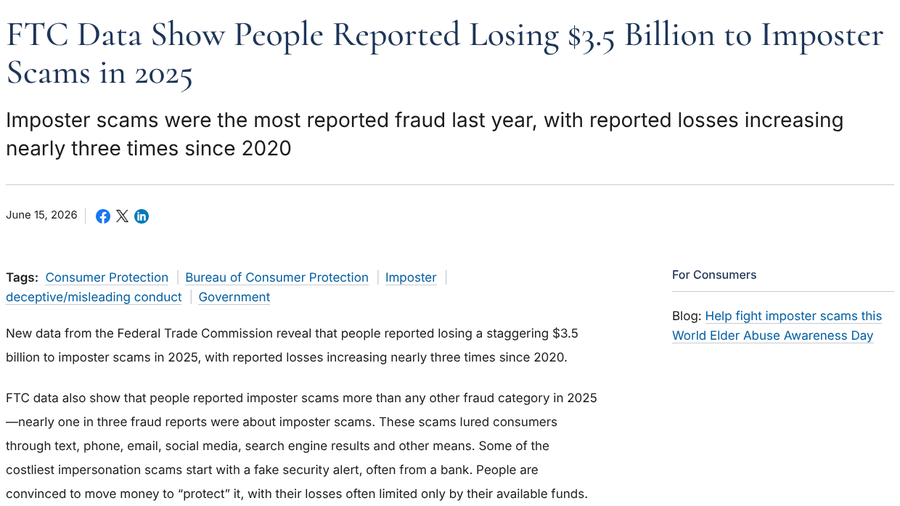
Fake support lines fall under what the FTC calls imposter scams. According to FTC data released in June 2026, people reported losing $3.5 billion to imposter scams in 2025, nearly three times the 2020 figure. Nearly one in three fraud reports involved an imposter, and the FTC lists search engine results among the ways these scams reach people. Business impersonators alone accounted for nearly $1 billion in reported losses, with bank impersonators costing the most.
Where fake customer service numbers hide
AI Overviews
AI answers at the top of search results can repeat a planted number as if it were fact. In February 2026, WIRED reported on scam support numbers appearing in Google AI Overviews, likely scraped from low-profile pages that list fake numbers next to big company names. Google told WIRED that its anti-spam protections are “highly effective” and that it shows official support numbers where possible, but it still encourages people to double-check phone numbers with additional searches. In the Bank of America case, the customer believed the AI Overview was citing a legitimate website where someone had pasted text pointing to the scam number.
Search ads and scam websites
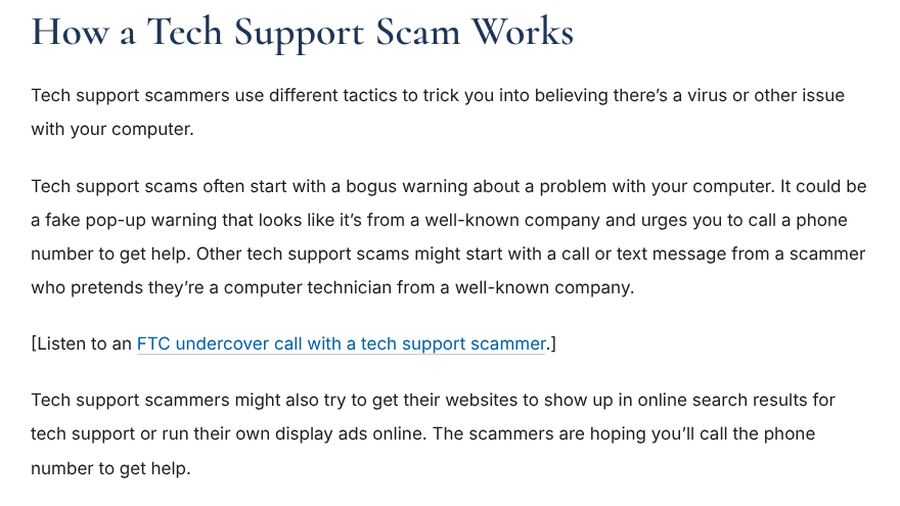
Scammers also pay for visibility. The FTC’s guide to spotting tech support scams warns that fake technicians try to get their websites into search results for tech support or run their own display ads, hoping you will call the number.
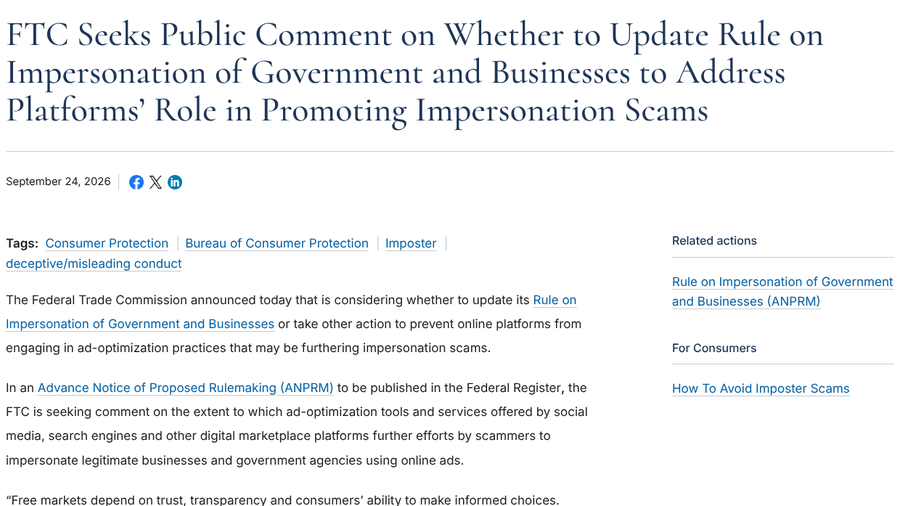
Regulators are paying attention. On September 24, 2026, the FTC announced it is considering whether to update its rule on impersonation of government and businesses to address ad tools that search engines and social media platforms offer. It is asking for public comment on how those tools help scammers impersonate real companies.
Google Maps listings and photos
Map listings are another weak spot. In September 2026, a poster in a local SEO forum on Reddit described scammers uploading AI-generated photos with a fake phone number printed into the image, so callers dial the number in the photo instead of the one on the listing. They said one contributor account had hit more than 150 business listings with the same number.

What happens when you call
Once you dial, the script is built to move fast. Watch for these red flags, all of which appear in FTC guidance or 2026 victim reports:
- They ask for a code. In April 2026, a traveler who called a number from a search result gave the “agent” their email address and then a security code before realizing no real service would ask for it.
- They want remote access. Screen-sharing or remote-control apps let a scammer watch you log in to your bank.
- They ask you to install an app. The Bank of America caller pushed a second download after the screen-sharing app.
- They want an unusual payment. The FTC says tech support scammers often insist on gift cards, wire or bank transfers, cryptocurrency or payment apps because the money is hard to get back.
- They say your money is in danger. The FTC warns that some of the costliest imposter scams convince people to move money to “protect” it.
How to tell if a customer service number is real
- Type the web address yourself. Go to the official site and find its contact page instead of clicking a result.
- Use the app or your account. Most banks, airlines and retailers list support options inside their app or after you log in.
- Check what you already own. The number on the back of your card, a statement or an order confirmation email you trust is safer than anything in a search.
- Search the number itself. Look for it on the brand’s own domain. If it only appears on unrelated pages, do not call.
- Skip the shortcuts. Treat numbers in AI Overviews, ads, Maps photos and forum posts as unverified until the business confirms them.
- Hang up and call back. If a call feels off, end it and dial the number from the official site. A real agent will not mind.
The same trick shows up offline, too. Scammers have covered parking meter codes with their own, as our guide to the QR code parking scam explains, and fake urgency is the engine behind family emergency call scams that target older relatives.
If you already called a fake number
- End the call and any screen sharing. Uninstall any app the caller asked you to download.
- Call the real company. Use the number from its official site or your card, and tell it what you shared.
- Change passwords and codes. Start with any account the caller saw or asked about, then sign out of other sessions.
- Watch your accounts. Check for new payees, transfers or orders, and consider a credit freeze if you gave personal details.
- Report it. File a report at ReportFraud.ftc.gov and flag the bad result, ad or listing to the search engine.
Main Takeaways
- A number in a search result, AI Overview, ad or map listing is not proof that it is official.
- Get support numbers from the official site, the app, your statement or the back of your card.
- Real support does not ask for verification codes, remote access or payment in gift cards or crypto.
- If you called a fake number, hang up, contact the real company and change your passwords.
Frequently Asked Questions
Can Google show a fake customer service number?
Yes, Google can show a fake customer service number in AI Overviews, ads, search results or Maps listings when scammers plant numbers online. Google says it works to block these, but it advises double-checking phone numbers with another search.
How do I know if a customer service number is legitimate?
A customer service number is legitimate if it appears on the official website of the business, inside its app or on your card or statement. If you can only find the number on unrelated sites, treat it as fake.
Are AI Overview phone numbers safe to call?
AI Overview phone numbers are not guaranteed to be safe because the AI can pull numbers from pages that scammers edited. Confirm the number on the official site before you call.
What happens if I called a scam customer service number?
Calling a scam number is usually not harmful by itself, but anything you shared can be. If you gave away codes, passwords or card details, contact the real company and change your passwords. Then report it to the FTC.
Why do fake support agents ask me to install an app?
Fake support agents ask you to install an app so they can see or control your screen. That lets them watch you log in, read your personal details and push you toward sending money.
Practical Takeaway
Spend 30 seconds before you dial. Open the official site or app, find the contact page and save that number in your phone for next time. If you are already on a call and someone asks for a code, remote access or an unusual payment, hang up. The real company will still be there when you call back.
Related Posts