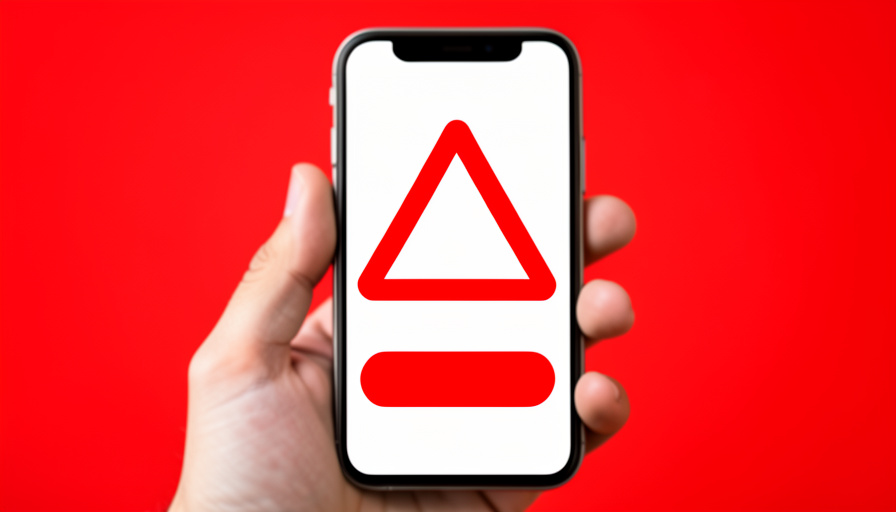
You are browsing on your phone when a page suddenly takes over the screen: your device is infected with several viruses, act now, a countdown is ticking, and a big button promises to remove them. It looks official, maybe even wears a familiar brand’s colors, and the panic it creates is exactly the point. Take a breath, because that warning is almost certainly fake. A random web page cannot actually scan your phone for viruses, and the whole display is designed to scare you into doing something that helps a scammer, not you.
Here is why these warnings are fake, how the scam works, why the alerts sometimes keep coming, and exactly what to do without making things worse.
The short answer
Yes, a browser or pop-up warning claiming your phone has a virus is almost always fake. It is a scam tactic called scareware: a web page or ad that shows an alarming, official-looking message to frighten you into installing a malicious app, buying useless fake antivirus, or calling a phony support number where someone tries to take your money or remote-control your device. Websites and browsers cannot inspect your phone for malware, so the scary count of viruses is just text on a page, not a real scan. Do not tap the alert, call any number, or install anything it suggests. Close the page, and if the warnings keep appearing, turn off notifications for the site that is sending them.
Table of Contents
Why a website cannot detect a virus on your phone
Start with the fact that dismantles the whole scam: a web page has no ability to scan your phone. Browsers deliberately keep websites walled off from the rest of your device for security, so a page you visit cannot reach into your files, read your other apps, or run a malware scan. That means a message announcing it found a specific number of viruses is not reporting a real result; it is simply displaying scary text and graphics that a scammer wrote to look like a scan. Once you know the page could not possibly know anything about your phone’s health, the dramatic warning loses all its authority.
How the scam actually works
These fake alerts usually come from a malicious ad or a redirect that hijacks the page, and they all push you toward one of a few traps. One version wants you to install an app to clean the infection, and that app is itself the malware or a useless product that harvests your data. Another sells you a fake antivirus subscription for a threat that does not exist, taking your card details in the process. A third, and nastier, version shows a phone number for support and a plea to call, where a fake technician talks you into paying, buying gift cards, or granting remote access to your device. Every path is designed to profit the scammer, and none of them fixes anything.
Why the warnings sometimes keep coming back
If the alerts appear even when you are not on that site, or when the browser seems closed, you probably granted the site permission to send notifications without realizing it. Many of these scam pages pop up a request to allow notifications, and one distracted tap later, the site can push alarming messages to your phone like any app would. It feels like a system-level virus warning, but it is really a website notification you accidentally approved. That is good news, because it is easy to undo: revoke that site’s notification permission in your browser settings, and the flood stops. It was never your phone reporting an infection.
The red flags that give it away
Fake virus warnings share a recognizable style. They lean on urgency, a countdown, flashing colors, or a claim that your data is being stolen right now, to stop you thinking. They cite a suspiciously specific number of viruses to seem like a real scan. They often borrow the logos of well-known technology or security brands to look legitimate. They present a single obvious action, a button to clean, install, or a number to call, and they may redirect you or block you from leaving the page. And, as above, a real device threat would never announce itself through a web page or a browser notification. Any of these should tell you it is a scam.
What to do about it
Handle it calmly. Do not tap the alert’s buttons, do not call any number it shows, and do not install anything it recommends. Close the browser tab or page; on a phone you can close the tab or the browser app entirely, and if a page will not let you leave, closing the app from the app switcher works. If you have been getting repeated alerts, open your browser settings, find site notifications, and remove or block permission for the offending site, then clear the browser’s site data for good measure. Trust your phone’s built-in protections and only reputable, well-known security tools rather than anything the pop-up pushed. You can report the scam to the authorities through the FTC’s consumer site. If you already installed an app, called a number, or paid, act quickly: uninstall the app, contact your bank about any charges, change important passwords, and revoke any remote access you granted. For a related trick, see our guide to the unpaid toll text scam.

This article is general information, not security-product or professional advice. Scam tactics change, and no article can address every situation, so if you believe your device or accounts have been compromised, contact your bank and a trusted security professional, and follow the current guidance from your device maker.
Frequently asked questions
Can a website really tell if my phone has a virus?
No. Browsers keep websites isolated from the rest of your device, so a web page cannot scan your phone, read your apps, or detect malware. A pop-up announcing a specific number of viruses is showing scary text a scammer wrote, not a real scan result. Because the page cannot know anything about your phone’s health, any such warning is fake by definition.
What happens if I tap the fake virus warning?
Tapping usually leads to a trap: a page pushing you to install a malicious or useless app, a fake antivirus purchase that takes your card details, or a phony support number to call. Some buttons trigger downloads or more redirects. Nothing it offers fixes a real problem, because there was no real infection. The safest move is to not tap anything and simply close the page.
Why do I keep getting virus pop-ups even after leaving the site?
You most likely allowed that site to send notifications, often by tapping a request without noticing, so it can now push alarming messages to your phone even when you are not visiting it. It looks like a system virus alert but is really a website notification. Go to your browser’s site-notification settings, remove or block that site’s permission, and the pop-ups stop.
Do I need to install an antivirus app because of the warning?
Not because a pop-up told you to. The app it pushes is often the actual threat. Modern phones have strong built-in protections, and if you want extra security, choose only a well-known, reputable app from your official app store, never one a scary alert directed you to install. Treat any security app a virus pop-up recommends as part of the scam.
I called the number or installed the app. What now?
Act quickly. Uninstall any app you added, and if you granted remote access, disconnect and consider a professional check of the device. Contact your bank or card issuer about any charges or payments, watch your accounts, and change passwords for important accounts, especially if you shared any. Report the incident to the FTC. Fast action limits the damage from a scam that fools many people.
The bottom line
A browser or pop-up warning that your phone has a virus is a scare tactic, not a real diagnosis, because a web page simply cannot scan your device. The alert exists to rush you into installing malware, buying fake protection, or calling a fake technician. Do not tap it, call it, or install what it suggests; close the page, revoke notification permission for any site spamming you, and lean on your phone’s built-in security. Recognize the panic for what it is, and the fake virus warning has no power over you. For more on spotting scams before they cost you, browse The Other Stream’s Tech section.
Related Posts