Five AirTag alternatives for travelers on iPhone and Android, how anti-stalking alerts work across both platforms, and how to share a tracker so your travel group stops getting false alarms.
In July 2026, a traveler on Reddit asked a question a lot of people have before their first trip with a tracker: if they put an AirTag in a checked bag, won’t it start beeping once it is separated from them? Months earlier, another user described a friend whose vacation began with an iPhone alert that an unknown AirTag had been traveling with them. Those two worries sit at the center of every luggage tracker decision. You want a tag that finds your bag, and you want the safety alerts to work without firing every time your partner carries your suitcase. These AirTag alternatives handle both, if you set them up right.
The best AirTag alternatives for travel in 2026 are:
- Samsung Galaxy SmartTag2: best for Samsung Galaxy phone owners
- Chipolo POP: best budget tag that works with iPhone or Android
- Pebblebee Clip 5: best rechargeable tag with a built-in light
- Motorola moto tag 2: best for Android users who want precise finding
- Tile Pro: best for mixed iPhone and Android families using one app
Quick Picks
| Tracker | Best For | Network | List Price | Battery |
|---|---|---|---|---|
| Galaxy SmartTag2 | Galaxy phone owners | Samsung SmartThings Find | $29.99 | Up to 500 days (700 in power saving) |
| Chipolo POP | Budget, either platform | Apple Find My or Google Find Hub | $29 | About 1 year, replaceable |
| Pebblebee Clip 5 | Rechargeable with LED | Apple Find My or Google Find Hub | $34.99 | Up to 12 months per charge |
| moto tag 2 | Precise finding on Android | Google Find Hub | $29.99 | Over 600 days, replaceable |
| Tile Pro | Mixed-phone families | Tile network via Life360 | $34.99 | 1 year, replaceable |
Table of Contents
How AirTag alternatives handle tracking alerts and false alarms
Apple’s own tracker got an upgrade this year. In January 2026, Apple released a second-generation AirTag with longer-range Precision Finding and a louder speaker, still priced at $29, and said it includes cross-platform alerts against unwanted tracking. Those alerts come from a shared standard. According to Apple’s support page on tracking alerts, Apple and Google created an industry specification so that iPhone and Android users are both warned when a compatible tracker separated from its owner is seen moving with them over time.
That protection is also the source of travel false alarms. If your partner carries a bag with your tracker, their phone may eventually warn them. The fix is sharing, not switching alerts off:
- On Apple Find My, you can share an AirTag or other Find My item with up to five people. Apple says people you share with don’t receive tracking notifications when the item moves with them. Each person needs an Apple Account with two-factor authentication, and you can’t share with a child account.
- On Google’s Find Hub, you can share a tracker tag with up to 10 people so they can all locate it.
- For Family Sharing members, Apple lets you tap an alert for a borrowed item and turn off alerts for a day or indefinitely.
Trackers on Apple’s network also support Share Item Location. In a November 2024 announcement, Apple said you can send a secure link with an AirTag’s or Find My accessory’s location to airlines, and that the link expires after seven days. Google’s Find Hub offers a similar web link for lost items.
1. Samsung Galaxy SmartTag2
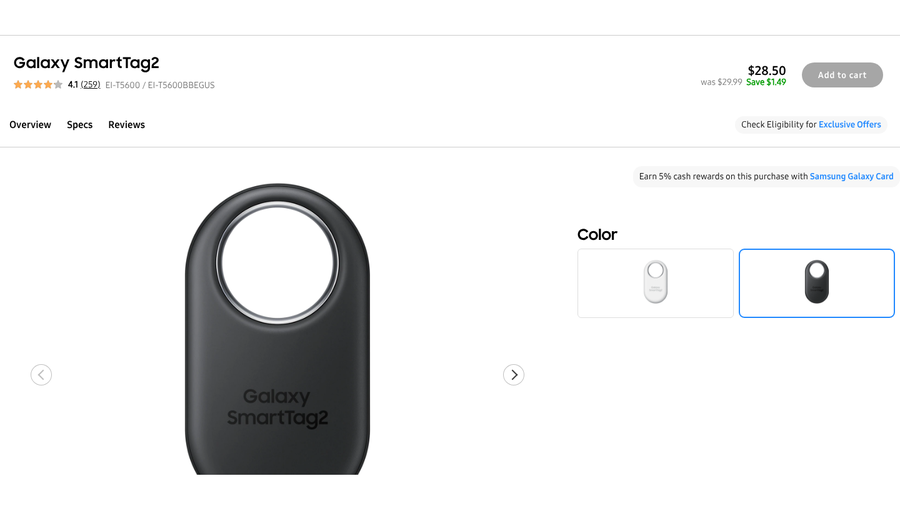
Best for: Travelers who use a Samsung Galaxy phone and want long battery life.
If you carry a Galaxy phone, the SmartTag2 is the closest thing to an AirTag built for you. Samsung’s launch announcement says it has both Bluetooth and ultra-wideband (UWB) radios. On a UWB-capable Galaxy phone, Compass View shows arrows with the direction and distance to your bag, and AR Find uses your phone’s camera to guide you in.
Battery life is the standout for long trips. Samsung says the tag lasts up to 500 days in Normal Mode and up to 700 days in Power Saving Mode. It carries an IP67 water and dust rating, which helps if your bag sits on a wet tarmac or lands in a puddle, and it has a Bluetooth range of up to 120 meters in open space. When it is out of range, Samsung’s SmartThings Find network helps locate it. The ring-shaped design has a metal loop, so it clips easily onto a luggage handle.
For safety, Samsung includes Unknown Tag Alerts, which notify you if SmartThings Find detects an unknown SmartTag moving with you. Galaxy phones also have Android’s built-in unknown tracker alerts under Settings, Safety and emergency.
The big limit is compatibility. Samsung says SmartTag2 requires a Galaxy phone or tablet running Android 11 or later, plus a Samsung account and the SmartThings Find app. If anyone in your group uses an iPhone or a non-Samsung Android phone, they can’t locate the bag themselves, so you become the person who relays its location to everyone else, including the airline if the bag goes missing.
- Pros: Up to 700 days of battery, UWB precision finding on supported Galaxy phones, IP67 rating and a sturdy metal loop.
- Cons: Works only with Galaxy phones and tablets, and travel companions on other phones can’t track it.
Pricing: $29.99 list on Samsung.com, with occasional small discounts.
2. Chipolo POP
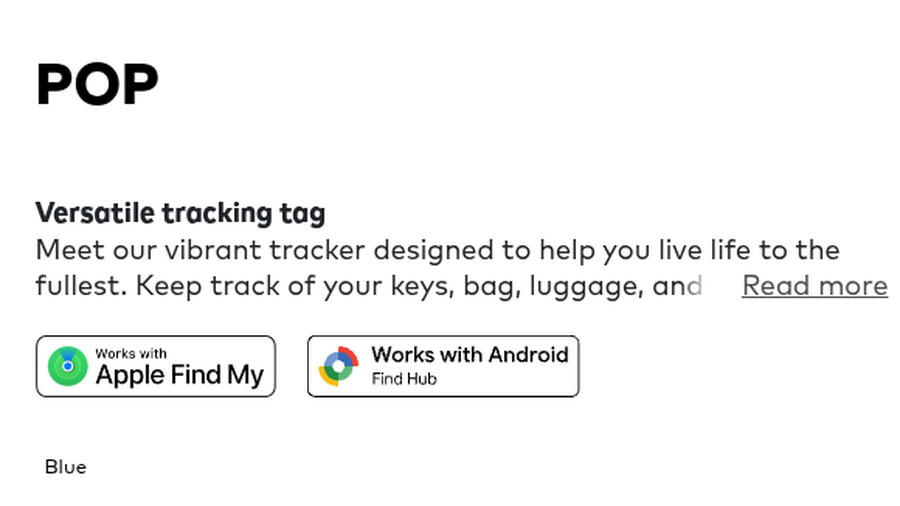
Best for: Budget-minded travelers who might switch between iPhone and Android.
The Chipolo POP is a small, colorful tag that works with either Apple’s Find My network on an iPhone or Google’s Find Hub on Android. That flexibility matters if your household is split, or if you might change phones before your next big trip. You choose one network when you set it up, so decide who will be tracking the bag before you pair it.
Chipolo rates the POP at about 120 decibels, loud enough to hear in a crowded baggage hall, with a Bluetooth range of up to 90 meters (300 feet). It runs on a replaceable CR2032 coin battery that lasts about a year, and a Duracell battery comes in the box. It has an IP55 rating, which protects against dust and splashes but not a full soak, so keep it inside the bag rather than on the outside handle in heavy rain. The free Chipolo app adds extras such as calling your phone from the tag.
On Apple’s network, the POP behaves like any Find My accessory. Apple’s alert system warns people when an unknown Find My accessory travels with them, and you can share the item with up to five people so your companions don’t get false alarms. You can also use Share Item Location to send your bag’s location to an airline. On Android, it uses Find Hub’s unknown tracker alerts and sharing instead.
What you give up is precision. The POP has no UWB chip, so you get a location on a map and a loud ring, but not the arrow-guided finding that newer AirTags, SmartTag2 and moto tag 2 offer. In a busy carousel area, the ring is usually enough.
- Pros: Works with iPhone or Android, loud ring, replaceable battery included and a low price.
- Cons: No UWB precision finding, IP55 rather than waterproof, and one network at a time.
Pricing: $29 for one on Chipolo’s US store, with discounts on multi-packs.
3. Pebblebee Clip 5
Best for: Travelers who hate coin batteries and want a tag they can see in the dark.
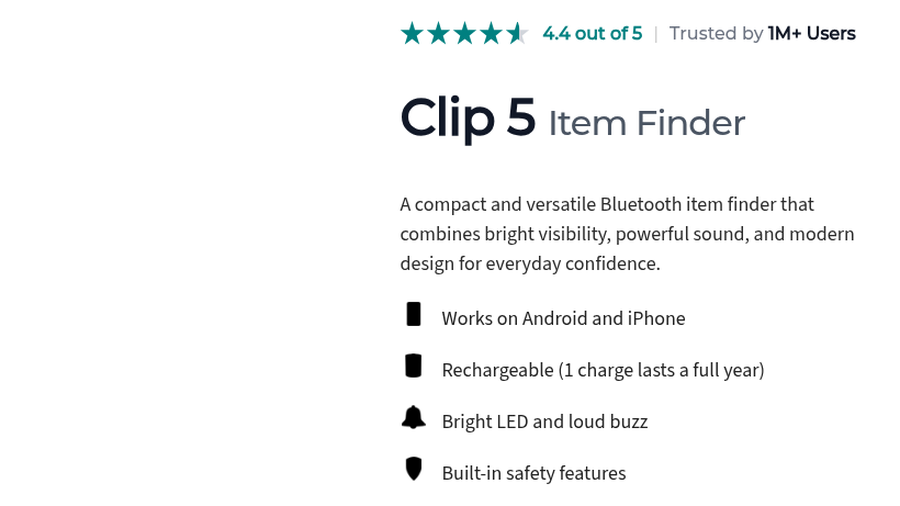
The Pebblebee Clip 5 is built around two features AirTag doesn’t have: a rechargeable battery and bright LEDs. Pebblebee says one charge lasts up to 12 months, so you top it up before a trip rather than hunting for a replacement coin cell. The LEDs and loud buzzer help when your bag is in a dim hotel closet or under a car seat.
Like Chipolo, it works with Apple Find My on iPhone or Google’s Find Hub on Android, so it follows the same alert and sharing rules as the network you choose. Pebblebee lists a Bluetooth range of up to 500 feet (150 meters), an IP66 rating, a weight of 10 grams and a size of about 45 by 38 by 9.5 millimeters. It also works as a phone finder: double-press the button to ring your phone.
The Clip also has an Alert feature that Pebblebee describes as turning your keychain into “a lifeline.” Pebblebee lists it as a safety feature available only on the Clip, and its store offers an Alert Live subscription alongside the tag. If you travel alone, that may be worth a look, but check what the subscription includes before paying for it.

The trade-offs are small. There is no UWB, so finding is by map, sound and light. And while a rechargeable battery is convenient, it means remembering to charge the tag once a year. Pebblebee’s site shows a 4.4 out of 5 rating and says more than a million people use its trackers.
- Pros: Rechargeable with a full year per charge, bright LED and loud buzzer, IP66 rating and works with iPhone or Android.
- Cons: No UWB precision finding, pricier than Chipolo and some safety features tied to a subscription.
Pricing: $34.99 for one Clip 5 on Pebblebee’s store, with bundle discounts.
4. Motorola moto tag 2
Best for: Android users who want AirTag-style precise finding.
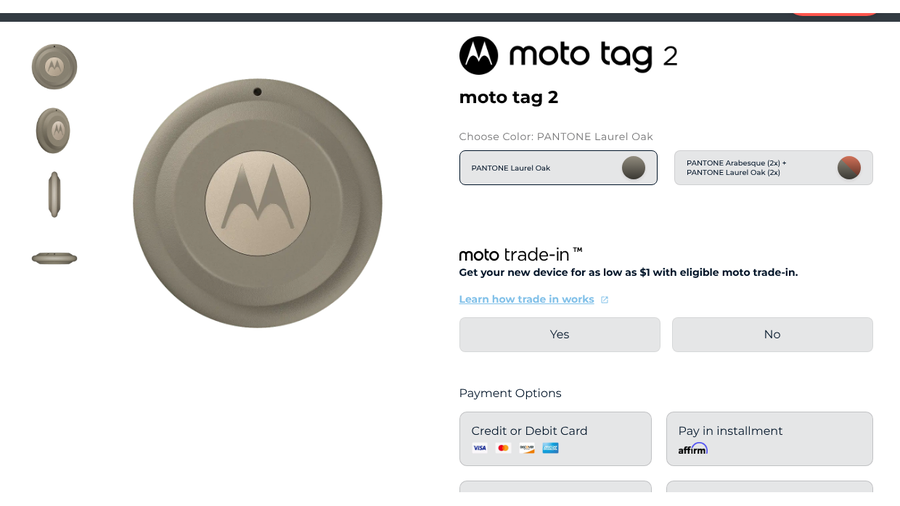
Motorola’s moto tag 2 is the most AirTag-like option for Android. It launched in the US on June 30, 2026, and 9to5Google reported that it remains the only Find Hub tracker that supports UWB. With a UWB-capable phone, it shows accurate direction and distance to your bag. Motorola says it also supports Bluetooth channel sounding, which improves finding on newer phones with Bluetooth 6.0 and Android 16, such as Google’s Pixel 10 series and Samsung’s Galaxy S26.
Battery life improved sharply over the first model. Motorola says the tag can go over 600 days on a single CR2032 battery, which is easy to replace. It pairs with any Android device through the moto tag app, and the button can find your phone or act as a remote camera shutter for group photos at your destination.
For safety, Motorola says your Android phone will notify you if an unfamiliar tracker is moving with you, and it keeps location data inside Google’s Find Hub network, which Google can’t view. You can also share your tag’s real-time location with trusted contacts, which is how you prevent false alarms when a travel partner carries your bag.
The price is friendly, too. At launch, Motorola sold it for $19.99 for a limited time before returning to its regular price.
The obvious limit is iPhone. The moto tag 2 lives on Google’s network, so iPhone users in your group can’t locate it. And UWB only helps if your phone has UWB. Budget Android phones will fall back to Bluetooth, map views and a ring.
- Pros: UWB precision finding on Android, over 600 days of battery, Bluetooth channel sounding on newer phones and built-in unknown tracker alerts.
- Cons: Android only, and precision features need a UWB or Bluetooth 6.0 phone.
Pricing: $29.99 for one, with a four-pack listed at $69.99 at launch.
5. Tile Pro
Best for: Families with a mix of iPhones and Android phones who want everyone in one app.
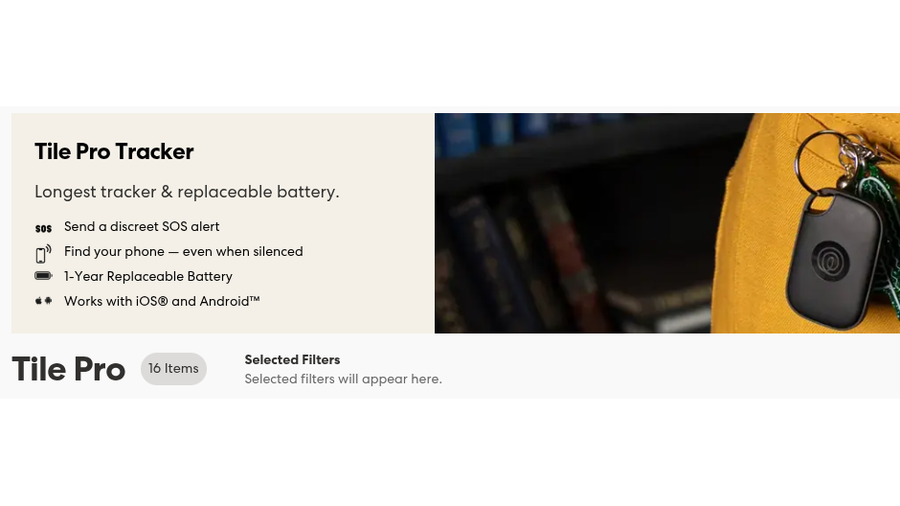
Tile Pro, now sold by Life360, is the only pick here that iPhone and Android users can track at the same time. Life360 says it works with iOS and Android, has a one-year replaceable battery and can find your phone even when it is silenced. It also offers a discreet SOS alert through the Life360 app. For a family that already uses Life360 for location sharing, adding bags to the same app is convenient.
Tile runs its own finding network rather than Apple’s or Google’s. According to Malwarebytes, Amazon added Tile to its Sidewalk network in 2021, so Ring cameras and Echo devices can help relay a Tile’s location.
The privacy picture is weaker, and travelers should know it. In September 2025, Georgia Tech researchers reported that Tile trackers broadcast a static MAC address and a unique ID that could allow continuous tracking. They also noted that Tile’s Scan and Secure check is manual and only works if you keep moving for about 10 minutes. Tile’s Anti-Theft Mode can hide a tag from those scans. To turn it on, Tile requires a government-issued ID, a live photo and agreement to a $1 million fine if convicted of stalking, though researchers said it is unclear if that penalty is enforceable. Life360 told The Verge it had “made a number of improvements” since the research was reported.
- Pros: Works on iPhone and Android at the same time, replaceable battery, SOS alert and phone finding.
- Cons: Researchers flagged weak security, anti-stalking scans are manual, and it lacks Apple and Google’s automatic cross-platform alerts.
Pricing: $34.99 list for one Tile Pro on Life360’s store, often discounted.
Planning the rest of the trip? Our list of screenshots to save before accepting a flight rebooking pairs well with a tracked bag, and our guide to travel routers and hotel Wi-Fi login pages covers staying connected once you arrive.
How We Chose These
We focused on trackers a traveler can buy today that work on a large finding network and fit a luggage handle, backpack or passport pouch. We compared which phones each one works with, how it handles unwanted-tracking alerts and how easily it can be shared with travel companions to prevent false alarms. We also weighed battery life, water resistance, precision finding and loudness, and we checked list prices on each company’s official store. We left out trackers without automatic alerts unless they offered something travelers need that others don’t, and we noted the trade-offs where they did.
The Bottom Line
Pick the tracker that matches the phones in your travel group. Galaxy owners should get the SmartTag2, and other Android users should look at the moto tag 2 for precise finding. If you want flexibility between iPhone and Android, the Chipolo POP is the best value, and the Pebblebee Clip 5 is the pick if you’d rather recharge than replace batteries. Choose Tile Pro only if mixed-phone family access matters more to you than privacy. Whatever you buy, share it with everyone who will carry the bag before you leave.
Frequently Asked Questions
What is the best AirTag alternative?
The best AirTag alternative depends on your phone. The Samsung Galaxy SmartTag2 is best for Galaxy owners, the moto tag 2 is best for other Android phones, and the Chipolo POP is the best budget pick because it works with either iPhone or Android.
What is the best AirTag alternative for Android?
The moto tag 2 is the best AirTag alternative for most Android phones because it works with Google’s Find Hub and supports UWB precision finding. If you have a Samsung Galaxy phone, the SmartTag2 is an equally strong choice.
Why do I get an “AirTag Found Moving With You” alert when traveling?
You get that alert when an AirTag separated from its owner has been moving with you over time. On trips, it often means a companion’s tag is in your bag. Ask the owner to share the item with you in Find My, which stops the alerts.
Will a luggage tracker set off alerts for my travel partner?
A luggage tracker can alert your travel partner if they carry your bag without you for a while. Share the tracker with them in Apple Find My or Google Find Hub before the trip so their phone treats it as a known item.
Can I share my luggage tracker’s location with an airline?
Yes, you can share a tracker’s location with an airline if it uses Apple’s Find My network or Google’s Find Hub. Both let you send a secure web link to your item’s location, and Apple’s link expires after seven days.
Related Posts