Walmart’s privacy policy update sent a wave of worried screenshots around the internet. Panic is not a plan. If you actually want to limit what Walmart knows about you, there are specific settings that do the work, and most people never touch them.
Walmart does collect a broad set of data, from browsing and location to biometrics, and no single toggle turns all of it off. But you have more control than the alarming posts suggest. The trick is knowing which controls live on your phone, which live in your Walmart account, and which come from your browser. Here is the practical version, in the order worth doing it.
Short Answer
To limit what Walmart collects, start with your phone: revoke the Walmart app’s location, microphone, and camera permissions unless you actively use them. Then use Walmart’s “Your Privacy Choices” link, in the website footer or app settings, to opt out of the sale and sharing of your data for targeted advertising, and adjust ad preferences in your account. Turn on Global Privacy Control in your browser so Walmart honors an automatic opt-out, and avoid voice search if you want to limit voice data. Some in-store collection, like license-plate reading, you cannot fully opt out of. Expect opt-outs to take up to 15 days to process.
Table of Contents
Start with your phone’s app permissions
The fastest privacy win has nothing to do with Walmart’s website. It is the permissions you granted the app, often without reading them. On both iPhone and Android, open your phone’s Settings, find the Walmart app, and review what it can access. Location, microphone, and camera are the three that matter most.
Set location to “While Using” or “Ask Next Time” instead of “Always,” and turn off microphone access unless you use voice search. This does not break the app for normal shopping, and it stops passive background collection, which is exactly the kind of data gathering people worry about. Do this once and it holds until you change it.
Use Walmart’s “Your Privacy Choices” and Privacy Center
Walmart runs a Customer Privacy Center that gathers the account-level controls in one place.
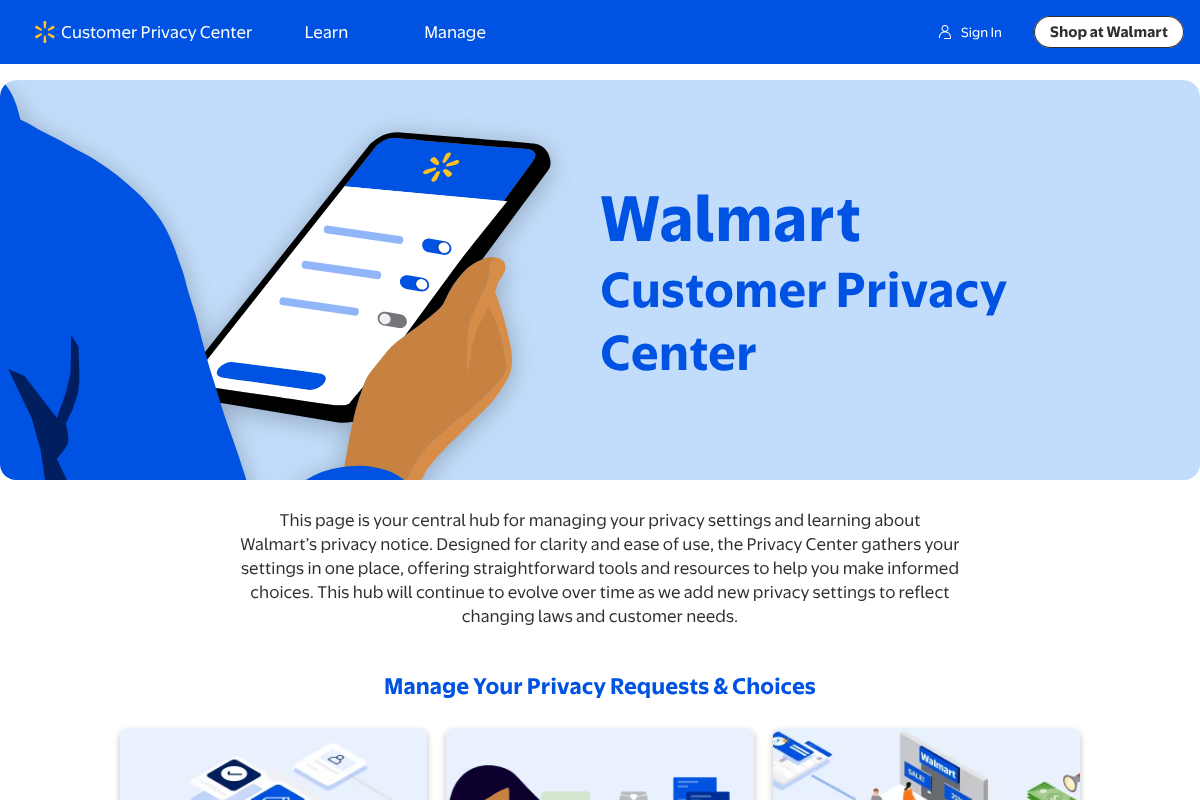
Look for the “Your Privacy Choices” link in the website footer or the app’s settings section. It lets you opt out of Walmart selling your personal information or sharing it for cross-context behavioral advertising, the technical name for tracking you across sites to target ads. You can also call 1-800-Walmart, press one, and say “Privacy” to make the request by phone. If you have a Walmart.com account, log in and open Communications & Privacy under My Account to manage preferences there too. You can explore the tools directly in Walmart’s Privacy Center.
Opt out of interest-based ads and turn on GPC
Advertising is where a lot of the tracking value sits, so it is worth a separate step. In Walmart’s advertising choices, you can opt out of interest-based ads. Two caveats worth knowing: you will still see ads, just less targeted ones, and the opt-out applies only to the browser and device you set it on, because it relies on a cookie.
The more durable move is Global Privacy Control, a browser-level signal. If your browser or a privacy extension sends GPC, Walmart says it will honor the opt-out automatically for that browser or device, per the GPC standard. That saves you from re-doing the opt-out on every site. Whichever route you use, Walmart may take up to 15 days to process the request.

Limit voice and biometric data
Walmart’s policy allows collection of voice and other biometric data, and the 2026 update specifically added language about voice interactions. The practical control here is simple: do not use voice search in the app, and decline optional biometric features where they appear. Combined with turning off microphone permission at the phone level, that closes the main path for voice data collection through the app.
What you can’t fully control
Being honest about the limits matters, because no guide can promise total privacy. In-store data collection is the gap. Walmart’s notice describes collecting license-plate data, and things like store cameras and Wi-Fi are part of the physical retail environment. You cannot toggle those off the way you can an app permission. If that bothers you, the only real levers are shopping habits, paying in ways that reveal less, and limiting app use in stores. It is a smaller lever than the digital controls, but worth naming so your expectations are accurate.
What To Know
- Revoke the Walmart app’s location, microphone, and camera permissions in your phone settings first.
- Use “Your Privacy Choices” in the footer or app to opt out of data sale and sharing for ads.
- Opt out of interest-based ads, but note it is per-browser and cookie-based.
- Turn on Global Privacy Control so the opt-out is honored automatically across sites.
- In-store collection like license-plate reading cannot be fully opted out of.
Frequently Asked Questions
How do I stop Walmart from selling my data?
Use the “Your Privacy Choices” link in Walmart’s website footer or app settings to opt out of the sale and sharing of your personal information, or call 1-800-Walmart, press one, and say “Privacy.” Walmart may take up to 15 days to process the request.
Does turning off app permissions break the Walmart app?
No. Setting location to “While Using” and disabling microphone access still lets you browse, order, and check out normally. You only lose features that specifically need those permissions, like voice search or precise in-store location.
What is Global Privacy Control and does Walmart honor it?
Global Privacy Control is a browser-level signal that automatically tells sites you want to opt out of data sale and targeted advertising. Walmart says it honors GPC for the browser or device that sends the signal, which saves you from opting out site by site.
Can I stop Walmart from collecting my voice data?
Largely, yes, within the app. Avoid using voice search and turn off microphone permission for the Walmart app in your phone settings. That closes the main route for voice data collection tied to the app.
Can I opt out of Walmart’s in-store data collection?
Not fully. In-store elements like license-plate reading, cameras, and store Wi-Fi are part of the physical environment and are not controlled by an app toggle. Your main options are limiting app use in stores and adjusting how you shop and pay.
The Bottom Line
You cannot make a large retailer collect nothing, but you can close the biggest, easiest data taps in about ten minutes. App permissions first, then the account-level opt-outs, then Global Privacy Control for everything else. The people who feel powerless after a privacy scare are usually the ones who never opened these settings. Open them once, and you have done more for your privacy than any amount of sharing the screenshot. For more consumer-tech guidance, browse The Other Stream’s Tech section, or our Business coverage on retail and data.
Related Posts