Why is my bank app not working when everything else on the phone does? The bank is usually checking your device, not your password. Here’s how to find the check your phone is failing and fix it.
In September 2026, a Reddit user posted that their banking app would no longer run on their current phone. They had hoped to wait a few more months before buying a new one. The most useful reply cost nothing: had they tried logging in through the phone’s web browser? The poster admitted it hadn’t occurred to them.
When email loads fine but the bank app won’t, the app has usually decided your phone looks risky. Banks check the operating system, the clock and the network, and some scan your other apps. Any of those checks can fail quietly as “device verification failed” or a vague error.
At a Glance
Rule out an outage and update the app first. The most common phone-side blocks are an operating system the app no longer supports, a clock that isn’t set automatically and a VPN. Root access, sideloaded apps and an unregistered new phone cause most of the rest. Use your bank’s website in the phone’s browser meanwhile, and call the bank if the app says your account is locked.
Table of Contents
Start with the boring checks
If the app worked an hour ago, check the bank’s social accounts or Downdetector for an outage. Banks also force updates, so an old version can refuse to log in until you install the latest one. Restart the phone after updating. It clears stuck sessions more often than it should.
Why is my bank app not working on an older phone?
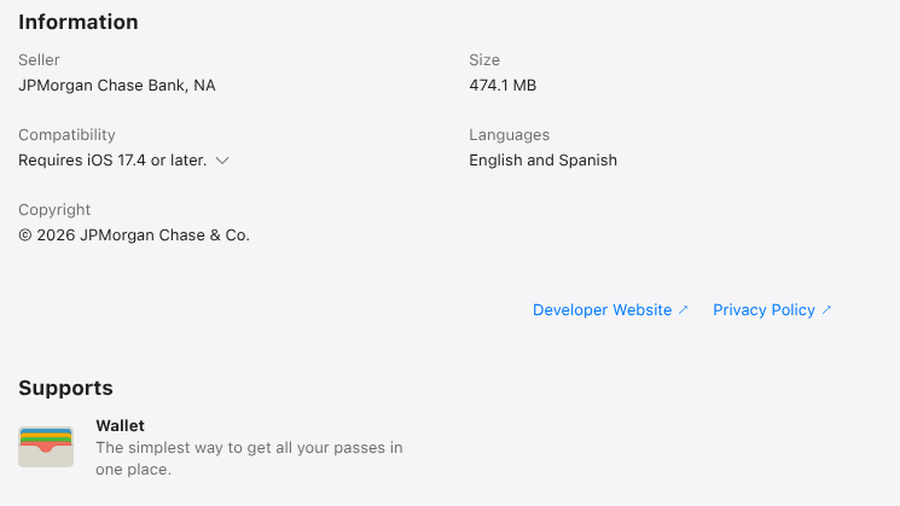
Bank apps drop old operating systems fast. On the App Store in fall 2026, the Chase Mobile app required iOS 17.4 or later. Bank of America required iOS 17.0, while Wells Fargo still supported iOS 15.0. The iPhone X and iPhone 8 can’t install iOS 17, so they can’t run current versions of the first two.
Skipping updates causes the same block. In July 2026, an iPhone 11 owner still on iOS 16.3.1 posted that their bank app wouldn’t let them log in until they updated. The replies pointed them to iOS 18.7.8, which the phone had been skipping.
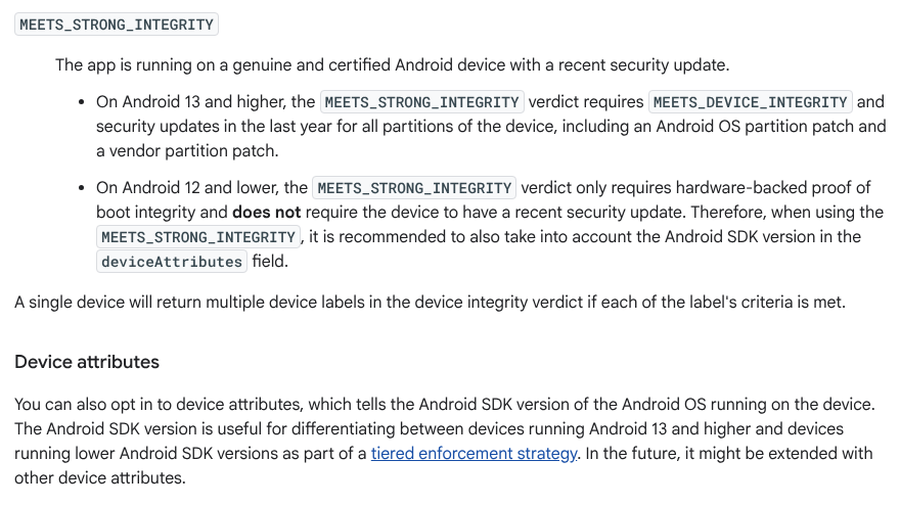
Android adds a twist. Many banking apps ask Google’s Play Integrity service whether the phone is genuine. According to Google’s Play Integrity verdict documentation, the strongest verdict on Android 13 and higher requires security updates released within the last year. A phone that stopped getting patches can fail even though nothing on it changed. Check the Android security update date under About phone or Security. If it’s over a year old with no update waiting, the phone may have aged out.
Can a wrong date and time break a bank app?
Yes, and it’s the easiest fix here. Secure connections rely on certificates with start and end dates, so a phone clock that’s far off can make the bank’s server look invalid. Time-based codes and some sign-in tokens expire within minutes, so a small drift can fail them too.
Ireland’s AIB puts this on its mobile banking app troubleshooting page. For customers who can’t log in on the latest version of the app, it says to confirm the phone sets the date and time automatically. Then close the app completely and log in again.
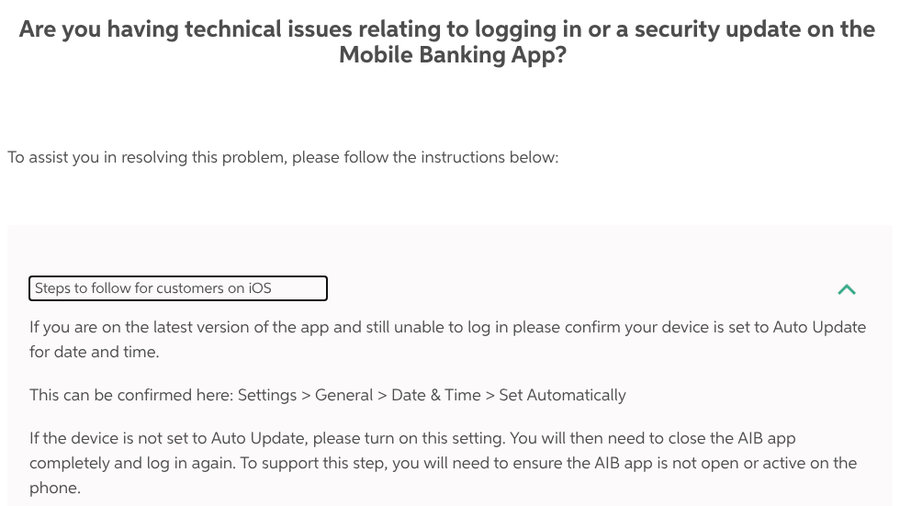
- iPhone: Settings > General > Date & Time, then turn on Set Automatically.
- Pixel and most Android phones: Settings > System > Date & time, then turn on Set time automatically and Set time zone automatically.
- Samsung Galaxy: Settings > General management > Date and time, then turn on Automatic date and time.
A wrong clock usually means someone set the time by hand, sometimes to skip a game timer. Switch automatic time back on and force-close the bank app before you try again.
Rooted phones, custom ROMs and “device not secure”
If you’ve rooted your Android phone, unlocked its bootloader or installed a custom ROM such as LineageOS, expect trouble. Google’s documentation says the standard device integrity verdict on Android 13 and higher needs hardware-backed proof that the bootloader is locked and the phone runs a certified manufacturer image. In August 2026, a LineageOS user posted that their banking app said it couldn’t be used on devices with an unlocked bootloader.
Root workarounds are a treadmill. That same month, a Pixel 7 Pro owner in the Magisk subreddit said their phone passed Google’s strongest check, yet the banking app still closed itself after an update. Among the module tips was one blunt suggestion: buy a second phone for banking. That’s the sane answer. Keep a stock phone for the bank, or use the bank’s website on the modded one.
Sideloaded apps, developer options and accessibility access
You don’t need to root a phone to trip these alarms. In March 2026, a realme Note 50 owner posted that after updating to Android 15, their banking app claimed the phone was rooted. It wasn’t. They had installed several modified apps and a VPN client from APK files outside Google Play, and removing most of them fixed the app.

Some banking apps, especially in India and other parts of Asia, also refuse to run while Developer Options or USB debugging is on. Accessibility access is another trigger, because Android banking malware abuses it to read screens and tap buttons. In September 2026, the team behind Kea, an Android app that relies on these tools, told users with blocked banking apps to turn off Developer Options and disable Kea’s accessibility permission while banking. Review Settings > Accessibility for apps you don’t recognize either way, since that’s where banking malware hides.
VPNs and screen sharing
A VPN hides your real location, which is exactly what bank fraud systems are built to question. In a September 2026 thread on r/ExpatFinance, people living abroad said banking apps blocked logins over a VPN even with a server back home. One commenter in Thailand said forgetting to switch it off got them blocked by both their Thai and Australian banks. Exclude the bank app with split tunneling if your VPN supports it, or pause the VPN while you bank.
Screen sharing is the newer trigger. Google’s in-call scam protection warns you when you open a participating financial app while screen sharing on a call with a number that isn’t in your contacts. It offers one-tap buttons to end the call and stop sharing, then adds a 30-second pause before you can continue. It works on Android 11 and newer, and the US pilot that began in December 2025 includes Cash App and JPMorganChase.
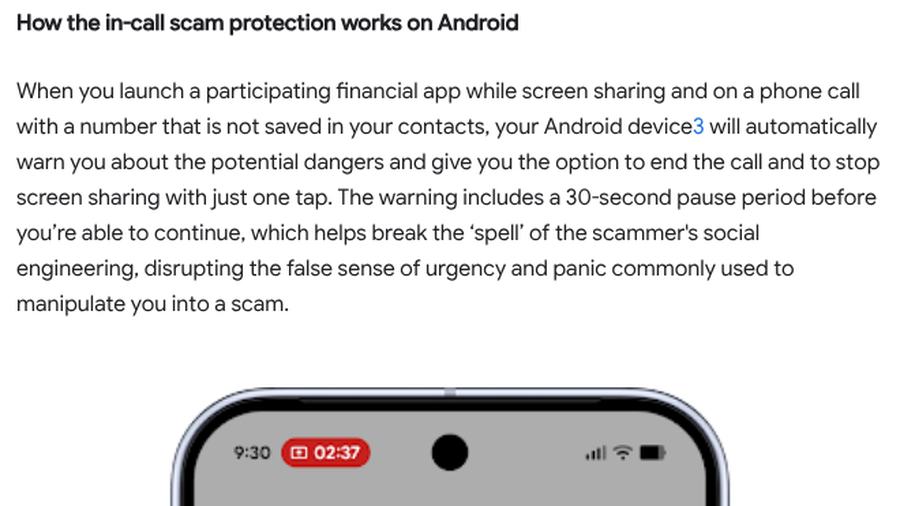
If you see that warning, hang up. Nobody legitimate needs to watch your banking app, including a caller claiming to be your bank’s fraud team. Our breakdown of the Zelle business account scam shows how these calls usually play out.
New phone or new SIM? Register the device again
Banks tie your login to a specific device, so a new phone can look like a stranger. In July 2026, a Royal Bank of Canada customer who replaced a 10-year-old iPhone 7 with an iPhone 17 described a loop: approval requests kept going to the old “trusted device,” and the ID and selfie check on the new phone kept failing. Commenters suggested removing the old phone as a trusted device first. One fixed the same loop by visiting a branch with a debit card and ID.
If you still have the old phone, approve the new one from it before you wipe anything. The same goes for passkeys and authenticator apps, covered in our list of passwordless login gotchas when you switch phones.
Some apps verify the SIM instead. In India, UPI apps such as Google Pay link your account by sending a text from the number registered with your bank. Google Pay’s SMS verification help page says that number must send the text, which trips up dual-SIM phones. It adds that NPCI allows 3 attempts within 24 hours, and retrying early extends the block. If device verification keeps failing, stop and check your SIM settings and SMS balance first.
When to stop troubleshooting and call the bank
Call the number on your card if the app says your account is locked, if you see transactions you don’t recognize or if nothing above works. Meanwhile, the bank’s website in your phone’s browser usually works, because a website can’t run the app’s device checks. Payments at the register fail for other reasons, covered in our guide to tap to pay failing when your card works.
What Matters Most
- Update the app and rule out an outage before changing settings.
- Chase now requires iOS 17.4 or later, which leaves out the iPhone X and iPhone 8.
- On Android 13 and higher, Google’s strongest integrity check needs a security update from the last year.
- Set date and time to automatic, then force-close the bank app.
- Root access, sideloaded apps and VPNs can all trip bank security.
- Approve a new phone from the old one before you wipe it.
Frequently Asked Questions
Why is my bank app not working today?
Check the bank’s social accounts or Downdetector for an outage, then update the app and restart your phone. A forced app update is often behind a sudden failure.
Why does my bank app say my device isn’t secure?
The app has detected something it treats as risky, such as root access, an unlocked bootloader or sideloaded apps. Developer Options or an old security update can trigger it too. Undo those changes or use the bank’s website instead.
Can the wrong date and time stop a bank app from working?
Yes. A wrong clock can break the secure connection to the bank and fail time-based sign-in checks. Set the date and time to update automatically, then close and reopen the app.
Why won’t my bank app work with a VPN?
VPN servers share IP addresses and hide your location, which bank fraud systems flag. Exclude the bank app with split tunneling, or pause the VPN while you bank.
Why is Zelle not working in my bank app?
Zelle shut down its standalone app in 2025, so payments now run inside participating bank apps. Check that you’re enrolled in Zelle within your bank’s app and within its sending limits. If the whole app won’t open, start with the device checks above.
Closing Thoughts
A bank app that won’t open feels like being locked out of your own money. Usually it’s a check your phone is failing, and the fix sits in Settings. Work down the list, keep the browser as backup and save the phone call for a locked account.
Related Posts